
On this page
- Key takeaways
- When should you make a Google Business Profile address change?
- How do you change your Google Business Profile address?
- How long does an address change take to show?
- Will changing my address require re-verification?
- Can changing my address get my profile suspended?
- What if your business moved?
- How do you change your address as a service-area business?
- How do you fix a wrong map pin?
- Address change mistakes I see in the Help Community
- What to do now
- Frequently asked questions
- How do I change my business address on Google?
- Why is my Google Business Profile address change pending?
- Will I lose my reviews if I change my address?
- Do I need to verify again after changing my address?
- Can I use a virtual office as my Google Business Profile address?
- How do I hide my address on Google Business Profile?
- Need help moving your profile?
A Google Business Profile address change takes about a minute to submit: go to your profile, select Edit profile, then Location, edit the business location and save. The hard part is what happens after. An address edit is one of the changes most likely to send a profile back into review, trigger re-verification, or in the worst cases lead to a suspension. If you prepare before you press Save, most of that risk goes away.
I’m a Diamond Product Expert in the Google Help Community and work on Google Business Profile issues daily. Address changes come up constantly, usually from owners who moved, edited the address the same day, and then found their profile stuck, unverified or gone from Maps. This guide covers how to change the address the right way, what to do if you moved, and how to handle the problems that follow.
Key takeaways
- Edit the address in your Business Profile under Edit profile, then Location. Google says changes usually show in about 10 minutes but can take up to 30 days.
- Moving to a new location is the most common reason for re-verification after an edit. Have your proof ready before you change anything.
- Change the address on its own. Don’t change the name, category and phone number in the same session.
- Service-area businesses should hide the address, not delete the profile or invent a storefront.
- Never create a new profile for the new address. Update the existing one so you keep your reviews.
When should you make a Google Business Profile address change?
Change it when your real, permanent business location changes, or when the current address is wrong or incomplete. Typical reasons:
- You moved to a new premises.
- The street number, suite or unit is missing or wrong.
- Google placed your pin in the wrong spot.
- You started serving customers at their location and should hide your address.
Don’t change it to look closer to the city centre, to target a different area, or to use a virtual office or coworking address where you don’t staff the premises. Those are exactly the edits that lead to suspensions.
How do you change your Google Business Profile address?
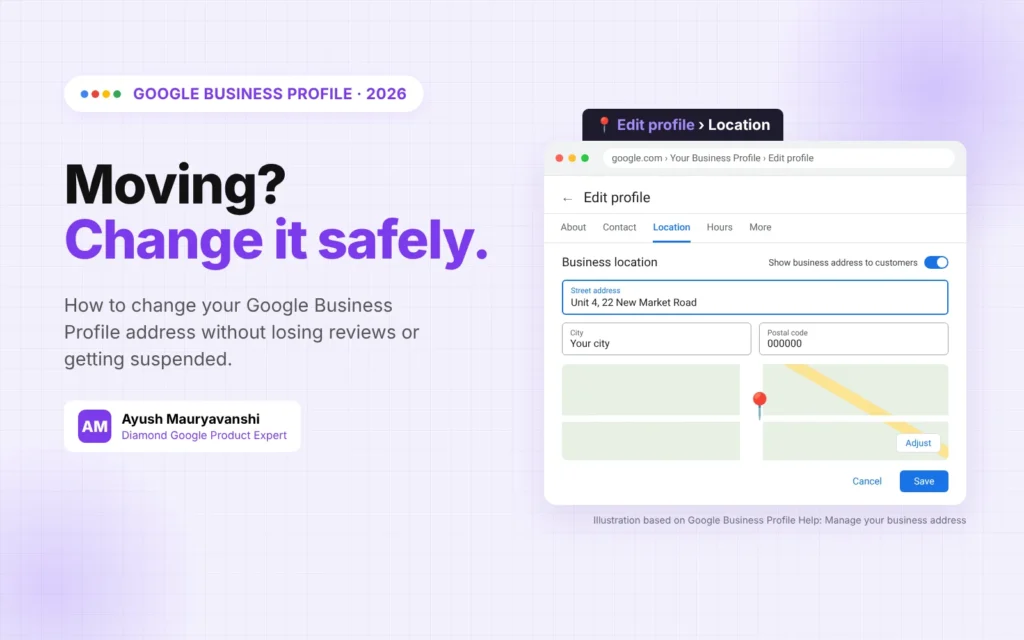
These are the steps from Google’s help page, Manage your business address:
- Go to your Business Profile (search your business name on Google while signed in, or open Google Maps).
- Select Edit profile, then Location.
- Next to “Business location,” select Edit.
- Enter the full address, including building, suite and floor numbers.
- If Google can’t find the address, re-enter the parts highlighted in red. If it still can’t, select Adjust and set the pin on the map.
- Select Save.
In the Google Maps app, tap Business at the bottom right, then follow the same Edit profile and Location steps.
Use the official postal address. Google’s guidelines say to avoid descriptions like “Corner of Main St. and Broadway Ave.” If the official address isn’t accurate in your area, you can add nearby cross-streets or landmarks.
How long does an address change take to show?
Google says profile changes usually take about 10 minutes to show up, and in some cases up to 30 days. When an address edit goes into review, you’ll often see the old address still showing publicly while the new one is pending.
Don’t keep re-submitting the edit while it’s pending. Every new edit restarts the review, and repeated edits on the same field look suspicious.
Will changing my address require re-verification?
Often, yes. A new address is a new claim about where the business is, so Google may ask you to verify again. In the cases I see, this is more likely when:
- The new address is far from the old one.
- The profile was only recently verified.
- Other key details change at the same time.
- The new address has another business at the same spot on Maps.
Re-verification for most businesses now means a video. Google wants to see the street or nearby landmarks, your permanent signage, and proof you can access the premises or tools of the trade. My guide to Google Business Profile video verification shows how to record one that passes.
The practical tip: don’t change the address until the new premises are ready to be filmed. If your signage is still being printed, wait.
Can changing my address get my profile suspended?
It can. An address change is one of the edits that most often comes right before a suspension in the cases I look at. It usually isn’t the move itself. It’s what the new address looks like to Google:
- A virtual office or mail drop with no staff.
- A coworking space with no dedicated, signed office.
- A residential address shown publicly for a business that doesn’t receive customers there.
- An address already used by another verified business in the same category.
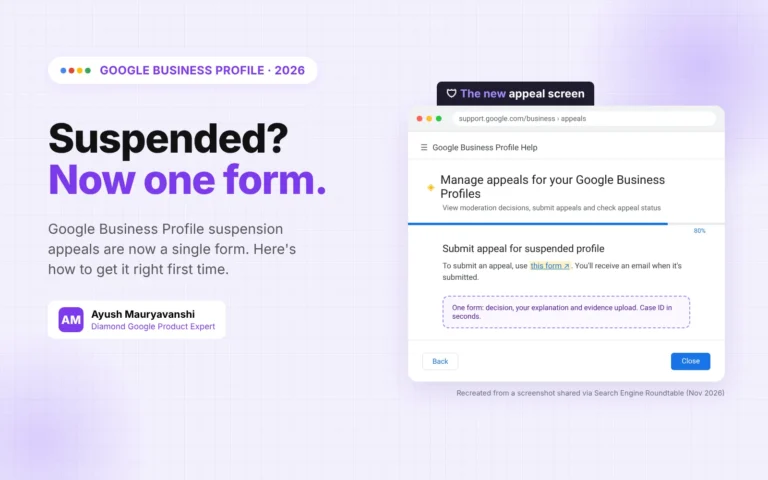
If you get suspended after an address change, don’t create a new profile. Fix the address so it follows the guidelines, gather proof for the new location, and appeal. My post on the new single-form suspension appeal covers that process.
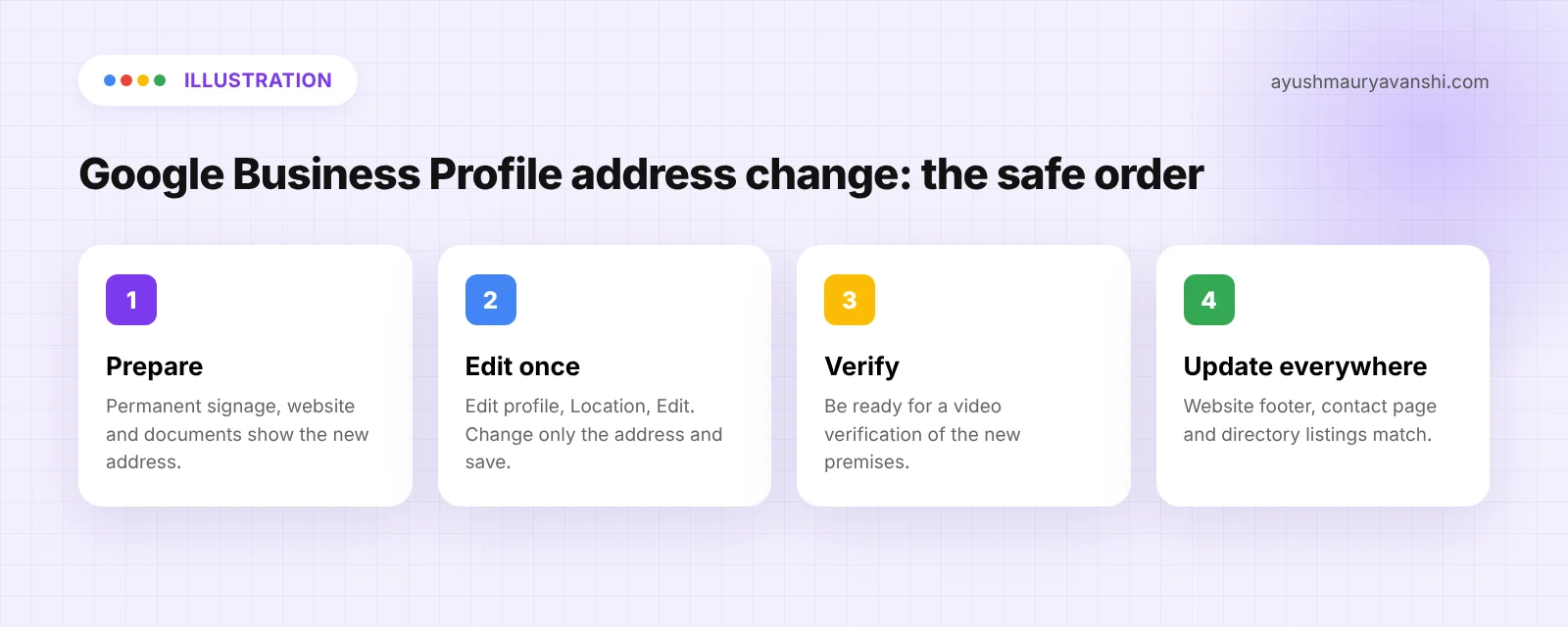
What if your business moved?
Update the existing profile with the new address. That keeps your reviews, photos and history. A brand-new profile for the new location starts from zero and can be flagged as a duplicate of the old one.
Before the move:
- Get permanent signage up at the new location.
- Make sure your website, invoices and business registration show the new address.
- Have a utility bill or lease in the business name for the new premises.
After the move:
- Change the address in your profile.
- Update your website footer, contact page and local citations so they match.
- Watch the profile for a few days for a verification prompt.
If you moved somewhere far away, such as another city or state, the profile may need full re-verification. For a move to a different country, it’s usually cleaner to set up correctly in the new country than to drag the old profile across. That’s a case where I’d get advice first.
If you find an old listing still showing at your previous address, see my guide on fixing a Google Business Profile duplicate listing.
How do you change your address as a service-area business?
If customers don’t come to you, you shouldn’t show an address at all. Google’s help page says to only hide your address if you’re a service-area business, and once it’s hidden the profile shows your service area instead.
To hide it: Edit profile, Location, Business location, Edit, then turn off Show business address to customers and save. Then set the service area you actually cover.
You still need a real address on the backend for verification. It just isn’t shown publicly.
How do you fix a wrong map pin?
Sometimes the address is right but the pin sits on the wrong building. Go to Edit profile, Location, Edit, then select Adjust, move the map so the pin is on your entrance, and select Done and Save.
A correct pin matters more than people think. It affects directions, Street View and which business sits next to you on the map.
Address change mistakes I see in the Help Community
- Changing the address, name, category and phone number in one sitting.
- Creating a second profile for the new location and leaving the old one live.
- Using a virtual office address to look local in a bigger city.
- Re-submitting the same edit several times while it’s pending.
- Moving before the new premises has signage, then failing video verification.
- Forgetting the website and citations still show the old address.
What to do now
- Confirm the new address is your real, staffed, permanent location.
- Put up permanent signage and update your website and documents.
- Change only the address in your profile and save it once.
- Wait for it to process, and be ready for a verification request.
- Update citations and directory listings to match.
- If anything goes wrong, stop editing and get help before you make it worse.
Frequently asked questions
How do I change my business address on Google?
Open your Business Profile, select Edit profile, then Location, edit the business location, enter the full address and save. You can do the same in the Google Maps app from the Business tab.
Why is my Google Business Profile address change pending?
Address edits often go into review. Google says changes usually show in about 10 minutes but can take up to 30 days. Don’t re-submit the edit while it’s pending.
Will I lose my reviews if I change my address?
No. Updating the address on the existing profile keeps your reviews. You lose them if you create a new profile instead.
Do I need to verify again after changing my address?
Often, yes, especially if the new address is far away or the profile was verified recently. Have signage and proof of the new location ready for a video verification.
Can I use a virtual office as my Google Business Profile address?
No. Virtual offices and mail drops aren’t eligible addresses unless the location is staffed during business hours. Using one is a common reason for suspension.
How do I hide my address on Google Business Profile?
Go to Edit profile, then Location, edit the business location and turn off Show business address to customers. Only do this if you serve customers at their location.
Need help moving your profile?
An address change done in the wrong order can cost you weeks of visibility. If you’re planning a move or already stuck in verification, take a look at my Google Business Profile verification service or message me on WhatsApp.