
On this page
- Key takeaways
- What changed with Google Business Profile reservations?
- Who does this affect?
- How do you turn off a booking or reservation partner?
- What if you don’t see the toggle yet?
- Should you turn every partner off?
- Does turning off a booking partner affect ranking?
- What to do now
- Frequently asked questions
- Can I remove a reservation button from my Google Business Profile?
- Will turning off a booking partner delete my bookings?
- Can I turn a booking partner back on later?
- Why is a booking partner I never signed up with showing on my profile?
- Does this work for restaurants and salons?
- Booking buttons still wrong on your profile?
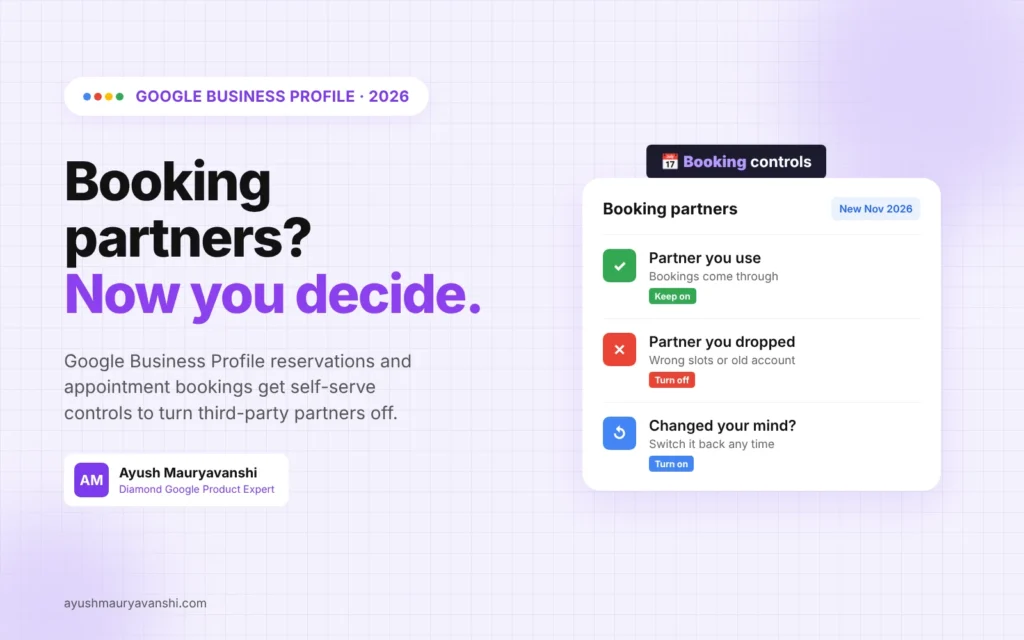
Google Business Profile reservations and appointment bookings now have the same self-serve control that food ordering got a few weeks ago. If a third-party booking or reservation partner shows up on your profile and you don’t want it there, you can now turn it off yourself from the Booking section of your profile instead of chasing the partner for an opt-out. You can switch it back on whenever you like.
I’m a Diamond Product Expert in the Google Help Community and work on Google Business Profile issues every week. “How do I remove this booking button I never set up?” is one of the questions I see most from salons, clinics and restaurants. Until now the honest answer was slow: contact the provider and wait. This update changes that.
Last updated: November 24, 2026
Key takeaways
- Google has added self-serve controls for third-party appointment booking and dining reservation links on Google Business Profile.
- It works the same way as the food ordering control: you choose which partner buttons customers see, and you can turn each one off or back on.
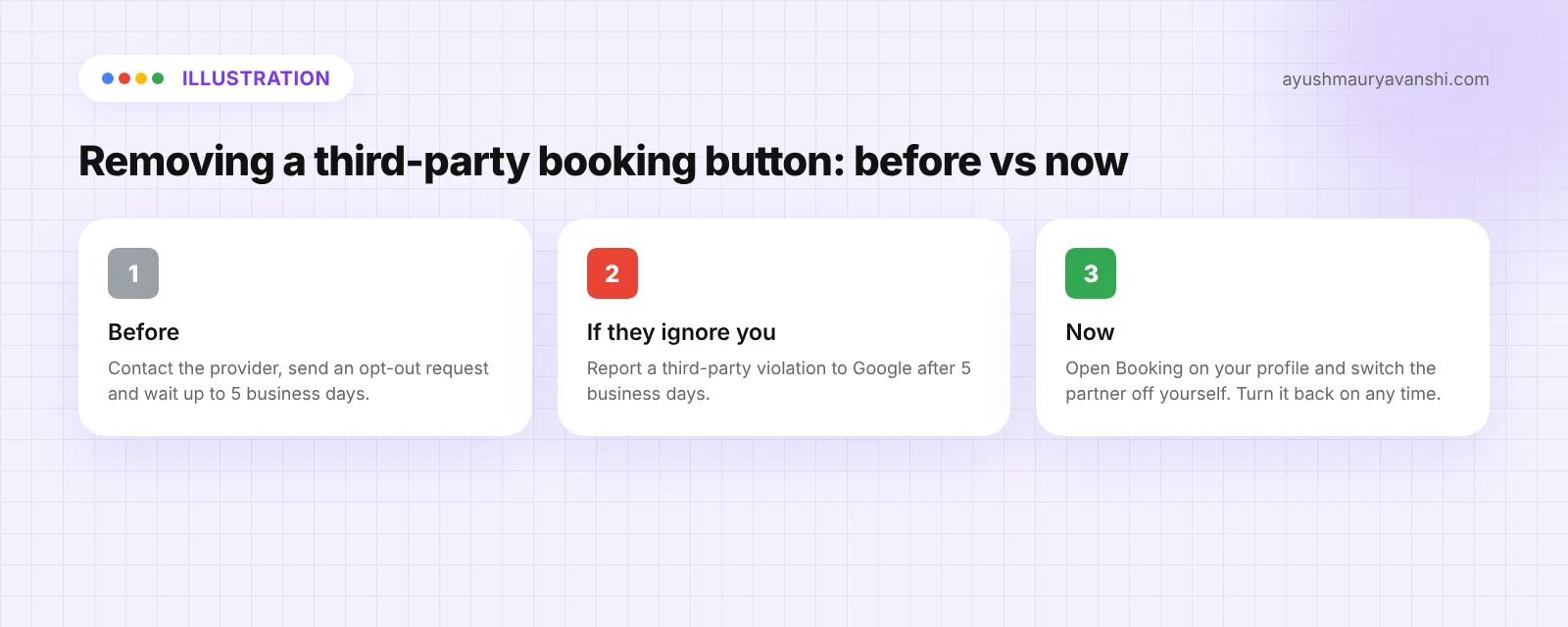
- Google’s help page still describes the old route (contact the provider, who has 5 business days to act). If you don’t see the toggle yet, that route still works.
- Before you switch partners off, check which ones actually bring you bookings. Hiding a working partner can cost you appointments.
What changed with Google Business Profile reservations?
On November 23, 2026, Search Engine Roundtable reported a LinkedIn post from Lisa Landsman at Google confirming the change. Her message was simple: first food delivery, now appointments and reservations. Businesses can choose which booking links appear on Google, right from their dashboard.
Here’s the background. Google Business Profile has two kinds of booking links:
- Links you add yourself. Your own booking page or scheduling tool, added under Booking on your profile.
- Links that come from partners. Booking platforms and reservation apps that integrate with Google can attach a “Book” or “Reserve a table” button to your profile, sometimes because you once had an account with them, sometimes because they listed your business on their side.
The first kind was always easy to edit. The second kind was the problem. Google’s own help page for managing local business links still says you cannot manually delete third-party booking or reservation providers from your profile settings, and that you have to contact the provider. Food ordering already had a “Show provider to customers” switch. Now bookings and reservations get the same treatment.
Who does this affect?
Any business type where Google shows appointment or reservation buttons. In practice that’s mostly:
- Restaurants and cafes with table reservations
- Salons, barbers, spas and nail studios
- Clinics, dentists, physiotherapists and other appointment-based practices
- Gyms, fitness and yoga studios
- Local service businesses that take bookings online
If your profile has never shown a booking or reservation button, nothing changes for you.
How do you turn off a booking or reservation partner?
Google described this as the “exact same” control that food ordering has, so the flow should look very similar. Based on how the food ordering version works:
- Sign in to the Google account that manages your profile and search for your business name on Google, or open Google Maps.
- Open your Business Profile and select Booking (restaurants may see a reservations option).
- Look at the list of providers. Each third-party partner should appear separately.
- Select the provider you want to hide and switch off the option that shows it to customers.
- Save and confirm.
The change usually shows on your profile within a few hours, but give it a day before you worry. Profile edits can take time to appear everywhere.
Two things to keep in mind. First, only owners and managers can do this, so if you’re locked out of your own profile, fix access first. My guide on Google Business Profile ownership walks through that. Second, these features roll out gradually. Not every account sees new controls on the same day.
What if you don’t see the toggle yet?
Use the route that has always worked. Google’s help page says to contact the third-party provider through their opt-out link, support form or account portal. Providers are required to process opt-out requests within 5 business days. If they don’t, you can report a third-party violation to Google.
When I help owners with this, the thing that speeds it up most is sending the provider one clear request: your business name, full address, the exact Google profile link and a line saying you want your business removed from their Google integration. Vague emails get vague replies.
I covered the full manual process, plus the “Book online” buttons that started appearing on their own earlier this month, in my Google Business Profile booking link guide.
Should you turn every partner off?
Not automatically. Google’s own advice in the announcement was that a mix of trusted partners can still help, because some customers already have saved details or loyalty points in those apps. I agree with that, with one condition: the partner has to show your real availability.
Here’s a quick way to decide:
| Situation | What I’d do |
|---|---|
| You use the partner and bookings come through | Keep it on |
| You stopped paying the partner or closed the account | Turn it off |
| The partner shows wrong slots, wrong prices or old services | Turn it off until it’s fixed |
| You never heard of the partner | Turn it off, then check what account they have for you |
| You prefer customers to book on your own site | Add your own link, set it as preferred, and turn off partners you don’t need |
The worst case I see is a dead booking button. A customer taps it, finds no slots or the wrong branch, and books with the competitor next on the map. A missing button is better than a broken one.
Does turning off a booking partner affect ranking?
There’s no sign that it does. Google hasn’t said anything about booking links being a ranking factor, and the core local ranking factors are still relevance, distance and prominence. What booking buttons affect is conversion: how easily someone who already found you can book. Treat this as a customer experience setting, not an SEO lever.
If your problem is visibility rather than bookings, start with my post on why a Google Business Profile isn’t showing on Maps.
What to do now
- Open your Business Profile and check the Booking section this week. Holiday bookings are picking up and this is the season a broken button costs the most.
- List every partner shown. Mark which ones you actually use.
- Turn off the ones you don’t use or that show wrong availability.
- Add your own booking link if you have one, and set it as the preferred link.
- Test the buttons from a phone, logged out, the way a customer would see them.
- If the toggle isn’t there yet, send opt-out requests to unwanted providers and note the date. Follow up with Google after 5 business days if nothing changes.
Restaurants should also check the food ordering side at the same time. I wrote up those ordering controls when they launched.
Frequently asked questions
Can I remove a reservation button from my Google Business Profile?
Yes. Google now lets owners turn off third-party appointment and reservation partners from the Booking section of the profile. If you don’t see the option yet, contact the provider for an opt-out. They are required to act within 5 business days.
Will turning off a booking partner delete my bookings?
Turning off a partner controls whether its button appears on Google. Existing bookings are handled in the partner’s own system, so check with them about appointments already made.
Can I turn a booking partner back on later?
Yes. Google said the control works both ways, so you can switch a partner back on whenever it fits your business again.
Why is a booking partner I never signed up with showing on my profile?
Some booking platforms list businesses and connect them to Google through their own integration. Turn it off with the new control, or contact the provider and ask them to remove your business from their Google feed.
Does this work for restaurants and salons?
Yes. Google mentioned salons, clinics, fitness studios, local service businesses and restaurants. Restaurants get the control for dining reservations, and appointment-based businesses get it for bookings.
Booking buttons still wrong on your profile?
If a partner won’t go away, a booking button points to the wrong place or your profile has bigger problems, message me on WhatsApp and I’ll take a look. For profiles that also struggle to show up, see my local SEO service.