
On this page
- Key takeaways
- What changed in the Google Business Profile suspension appeal?
- What stays the same?
- Why do Google Business Profiles get suspended?
- How do you submit a Google Business Profile suspension appeal now?
- What evidence works best for a suspension appeal?
- How long does a suspension appeal take?
- What if the appeal is denied?
- Mistakes that still get appeals denied
- What to do now
- Frequently asked questions
- Is the Google Business Profile appeal form really just one page now?
- Can I submit more than one appeal for the same suspension?
- How long does a Google Business Profile suspension appeal take?
- What documents should I upload with my appeal?
- Should I create a new profile while my appeal is pending?
- Does the new form help if my whole Google Account is restricted?
- Need help with a suspended profile?
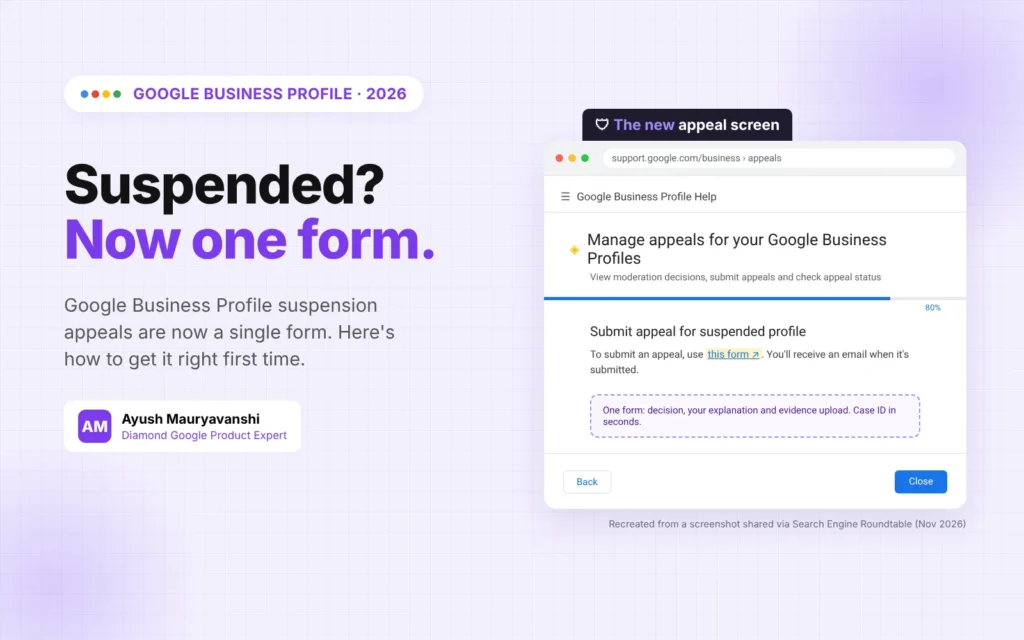
Google has turned the Google Business Profile suspension appeal into a single form. Instead of clicking through a multi-step workflow, you now fill in one page with the decision, your explanation and your evidence, and you get a case ID almost straight away. The rules behind the appeal have not changed, so a weak appeal is still a weak appeal. It’s just faster to send.
I’m a Diamond Product Expert in the Google Help Community and work on Google Business Profile issues daily. Suspensions are the cases I spend the most time on, and the appeal itself is where most owners lose. This post covers what changed, what stays the same, and how to send an appeal that has a real chance of getting approved the first time.
Key takeaways
- The appeal for a suspended profile is now one form, not a step-by-step funnel, and the case ID shows up within seconds.
- You still get one shot per decision. Google’s help page says appeals can only be submitted once.
- Evidence is still optional on paper, but in practice it decides most reinstatements. The business name and address on every document need to match the profile.
- If your Google Account is restricted, fix that first. A profile appeal won’t go anywhere while the account is restricted.
- Decisions can take up to 5 business days. Don’t send a second appeal or create a new profile while you wait.
What changed in the Google Business Profile suspension appeal?
On November 24, 2026, Search Engine Roundtable reported that Google had replaced the old multi-step appeal workflow with one form. The screenshot shared with that report shows everything on a single page, and the case ID came back in under 30 seconds.
Before this, the flow went like this: confirm your account, pick the profile, pick the decision, read the details, upload evidence on a separate step, write your explanation, then confirm and submit. Each step could time out or throw an error, and I’ve seen plenty of owners in the Help Community who thought they had appealed when they had actually stopped one screen short.
A single form fixes most of that. Fewer screens means fewer places to drop off, and an instant case ID means you know the appeal was received.
What stays the same?
The form changed. The review did not. Google’s own help page, Fix suspended or disabled profiles, still says:
- Make sure your profile follows the guidelines before you appeal.
- Don’t create a new Business Profile for the same business.
- Appeals can only be submitted once.
- Google reviews the appeal and emails you the decision.
The appeals tool also still shows you the details of the decision: the date, the reason, a link to the policy, and whether it can be appealed. Read that part carefully. Owners often skip straight to the text box and argue about something Google never flagged.
Why do Google Business Profiles get suspended?
Google rarely tells you the exact trigger, but the decision screen points you to the policy area. Across the cases I handle, the same causes come up again and again:
- Business name stuffing. Keywords or a city added to the name that aren’t part of the real business name.
- Address problems. A virtual office, a coworking desk, a PO box, or a home address shown for a business that doesn’t serve customers there.
- Recent edits. Changing the name, address, category or phone number in one go, especially right after verification.
- Category mismatch. A category that doesn’t match what the business actually is. I covered this in my guide to Google Business Profile categories.
- Duplicate or ineligible profiles. A second profile for the same location, or a business type that isn’t eligible at all.
- Account-level problems. If the Google Account itself is restricted, every profile it owns gets suspended with it.
If your profile was suspended after a change you made, undo that change before you appeal when you can. You want the profile to look correct at the moment someone reviews it.
How do you submit a Google Business Profile suspension appeal now?
Here is the order I recommend, using the new single form.
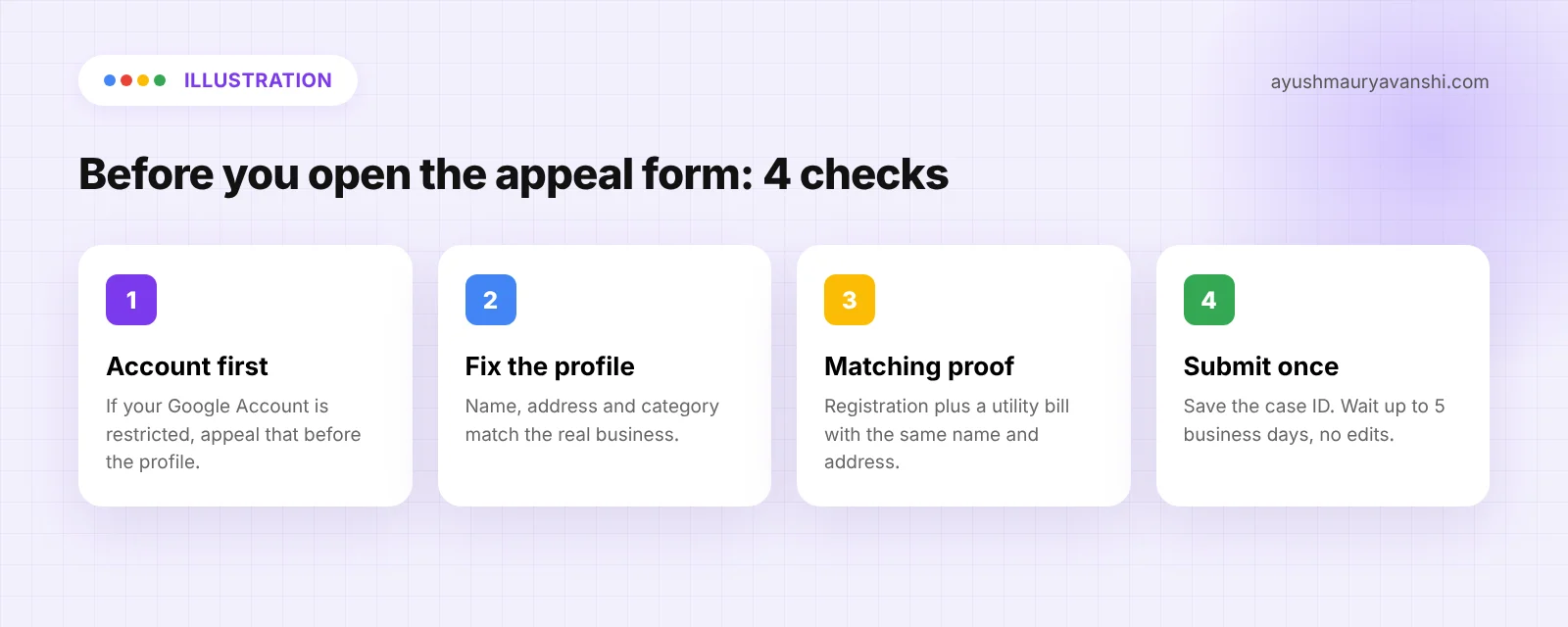
- Check the account first. If you see a message that your account is restricted, appeal that from your Google Account’s My accounts page before anything else. My post on the user account restricted error walks through it.
- Fix the profile. Clean up the name, address, category and hours so they match your real business, signage and documents.
- Collect your evidence. Gather it before you open the form so you aren’t rushing.
- Open the Google Business Profile appeals tool while signed in to the account that owns the profile, and select the profile.
- Pick the right decision. If there is more than one, appeal the suspension, not a content decision. Google’s help page says a suspended profile has to be reinstated before content decisions can be appealed.
- Write a short explanation. Three to five sentences: who you are, where customers meet you, and what the documents prove.
- Attach your evidence, tick the confirmation box and submit. Save the case ID somewhere safe.
What evidence works best for a suspension appeal?
Google lists official business registration, a business license, tax certificates, and utility bills for the business such as electricity, phone, water or internet. In my experience the strongest appeals combine:
- One document proving the business is real and legally registered.
- One document proving the address, ideally a utility bill in the business name.
- Photos of permanent signage at the entrance and, for storefronts, the inside of the premises.
- For service-area businesses, something that proves you operate in the area, such as a registered vehicle with branding or an invoice to a local customer with personal details hidden.
Every document needs to show the same business name and address that is on your profile. One mismatched letter in the name or a different suite number is enough to create doubt, and doubt usually means a denial.
How long does a suspension appeal take?
Google says appeal reviews and decisions can take up to 5 business days. Some come back the same day. Others take longer, especially when there are wider delays, which happened with review appeals in October 2026.
While you wait:
- Don’t send a second appeal for the same decision.
- Don’t create a new profile for the business.
- Don’t keep editing the profile. Each edit can push it back into review.
You can check the status in the appeals tool. It will show Submitted, Approved, Not Approved, Can’t be appealed or Eligible for appeal.
What if the appeal is denied?
Google’s help page says that if your reinstatement request is denied, you may be able to request an additional review and add evidence you didn’t include the first time. This is why I tell people to treat the first appeal as if it were the only one. The second chance exists, but it isn’t guaranteed, and it’s always harder to win once a reviewer has said no.
Businesses in the EEA may have additional redress options, which Google links to from the same help page.
Mistakes that still get appeals denied
The new form makes it easier to submit quickly. That cuts both ways. These are the mistakes I still see:
- Submitting before fixing the problem that caused the suspension.
- Uploading documents with a different trading name, an old address or a personal name.
- Writing a long, angry explanation instead of a short factual one.
- Appealing from a manager account that doesn’t own the profile.
- Creating a fresh profile “just in case” while the appeal is pending.
What to do now
If your profile is suspended today:
- Read the decision details in the appeals tool and note the policy linked.
- Check whether your Google Account is restricted and fix that first.
- Correct anything on the profile that breaks the guidelines.
- Gather registration, an address document and signage photos with matching details.
- Submit one appeal through the new form and keep the case ID.
- Wait up to 5 business days without editing the profile.
If you already sent an appeal through the old flow and are waiting, you don’t need to resend it.
Frequently asked questions
Is the Google Business Profile appeal form really just one page now?
Yes. As of late November 2026, the appeal for a suspended profile has been reported as a single form that shows the decision, a text box and evidence upload together, followed by an instant case ID.
Can I submit more than one appeal for the same suspension?
No. Google’s help page says appeals can only be submitted once. If the appeal is denied, you may be able to request an additional review with new evidence.
How long does a Google Business Profile suspension appeal take?
Google says appeal reviews and decisions can take up to 5 business days. You can check the status in the Google Business Profile appeals tool.
What documents should I upload with my appeal?
Business registration, a business license, tax certificates or a utility bill in the business name. Make sure the name and address on every document match your profile exactly. Signage photos help for storefronts.
Should I create a new profile while my appeal is pending?
No. Google specifically says not to create a new Business Profile for the same business. A new profile can be treated as a duplicate and make the case worse.
Does the new form help if my whole Google Account is restricted?
Not directly. An account restriction has to be appealed from your Google Account’s My accounts page first. Once it’s lifted, you appeal the profile suspension.
Need help with a suspended profile?
A suspension is stressful, and the first appeal matters most. If you’d like a second pair of eyes before you submit, see my Google Business Profile reinstatement service or message me on WhatsApp with your case details.