
On this page
- First, is it missing or just not ranking?
- Why your Google Business Profile is not showing on Maps
- 1. The profile isn’t verified
- 2. The profile is suspended or disabled
- 3. Google marked it as a duplicate
- 4. A recent edit is still under review
- 5. The address or pin is wrong
- 6. The profile is brand new
- 7. It’s there, but not ranking
- Checks owners often miss
- What to do now
- FAQ
- Why is my Google Business Profile not showing on Maps?
- How long does it take for a new Google Business Profile to show on Maps?
- Why can I see my business on Maps but customers can’t?
- Does editing my profile hide it from Maps?
- Will a service-area business show on Google Maps?
- Should I create a new profile if mine isn’t showing?
- Still not on the map?
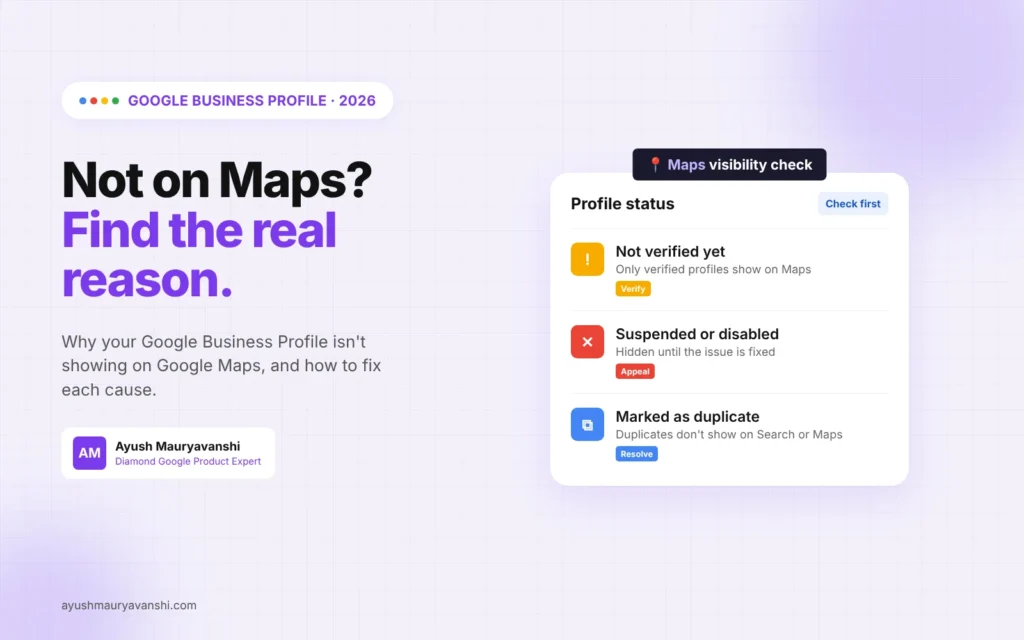
If your Google Business Profile is not showing on Maps, the cause is almost always one of five things: the profile isn’t verified, it’s suspended or disabled, Google has marked it as a duplicate, a recent edit is still under review, or it’s live but ranking too low for you to spot it. The fix depends on which one it is, so the first job is a quick test to tell “missing” apart from “not ranking”.
I’m a Diamond Product Expert in the Google Help Community and work on Google Business Profile issues every week. “My business isn’t on Google Maps” is one of the most common messages I get, and in a good share of those cases the profile is actually live. It’s just sitting on page three of the map results. This guide walks you through how I check it, and what to do for each cause.
First, is it missing or just not ranking?
Before you change anything, run this test. It takes two minutes and saves a lot of wasted effort.
- Open Google Maps in a private or incognito window, or on a phone where you’re signed out.
- Search your exact business name plus your city, for example “Sharma Dental Clinic Pune”.
- Note what happens.
If your profile appears for the exact name search, it’s not missing. Google is showing it. Your real problem is that it doesn’t show for searches like “dentist near me”, and that’s a ranking issue, which I cover further down.
If nothing appears even for the exact name, the profile is hidden for a reason, and you need to find that reason.
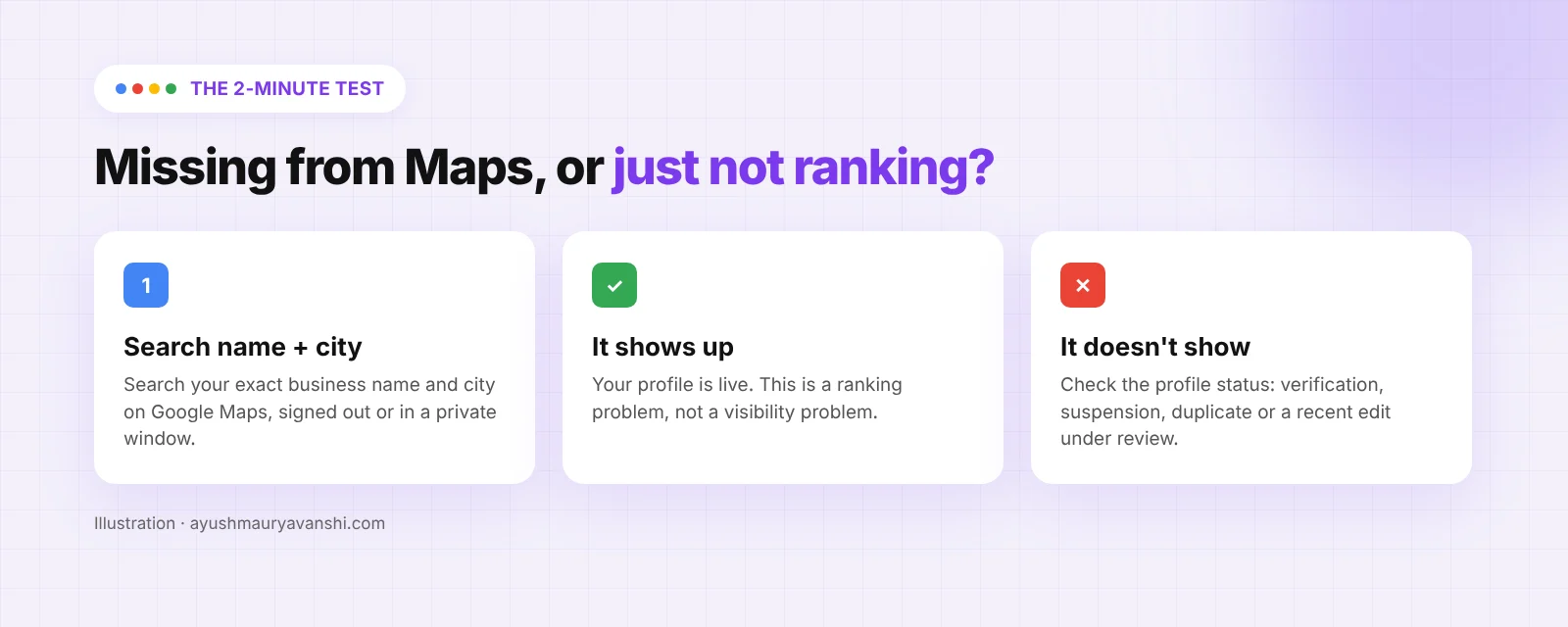
One trap I see often: owners search while signed in to the account that manages the profile. You’ll often see your own profile even when the public can’t. Always test signed out.
Why your Google Business Profile is not showing on Maps
Here are the causes I check, in the order I check them.
| Cause | How to spot it | Fix |
|---|---|---|
| Not verified | Profile says “Get verified” or verification is pending | Finish verification |
| Suspended or disabled | Warning in your profile, often an email from Google | Fix the issue, then appeal |
| Marked as duplicate | Profile shows as duplicate, or a second listing exists | Resolve the duplicate |
| Edit under review | Recent name, address or category change | Wait, don’t keep editing |
| Wrong pin or address | Pin sits in the wrong place | Correct the address and pin |
| Brand new profile | Verified in the last few weeks | Give it time |
| Ranking, not missing | Shows for exact name, not for “near me” | Work on relevance and prominence |
1. The profile isn’t verified
This is the first thing to check. Google’s own help page says it plainly: only verified businesses can show their business info on Maps and Search. A profile that’s created but not verified can sit in your account looking finished while customers see nothing.
Sign in, open your profile from Google Search (search “my business”), and look for any prompt to verify. If you see one, that’s your answer.
Verification in 2026 is mostly video verification for new profiles. If you’re stuck at that stage, my Google Business Profile video verification guide covers what Google wants to see in the recording.
2. The profile is suspended or disabled
A suspended or disabled profile won’t show to other users until you resolve the issue. Google usually sends a notification to the account that manages the profile, but I’ve seen plenty of cases where the email went to an old account nobody checks.
Signs to look for in the profile:
- A red or yellow banner saying the profile is suspended, disabled or restricted
- “Your profile has been suspended” in the Business Profile dashboard
- Reviews and photos suddenly gone from public view
Don’t create a new profile to get around a suspension. That makes things worse. Fix whatever broke the guidelines (name stuffed with keywords, a virtual office address, a category that doesn’t fit), then appeal. If the warning mentions your Google account rather than the profile, read my post on the user account restricted error, because that one needs a different appeal.
3. Google marked it as a duplicate
Google allows one profile per business. If a profile is considered a duplicate, Google says it won’t show on Search or Maps. This often happens after someone creates a second profile because they couldn’t access the first one, or after a move where a new profile was made instead of updating the address.
In the profile you may see it labelled as a duplicate. If you know there are two listings, decide which one to keep (almost always the older one with the reviews) and clean up the other one properly.
4. A recent edit is still under review
Changed the business name, address, primary category or hours recently? Google says edits can take up to 3 days to show. Bigger changes like a new address or name can trigger a fresh review, and while that’s happening the profile can drop out of results or show “under review”.
The worst thing you can do here is keep editing. Every new edit can restart the review. Make the change once, make sure it matches your signage and website, then wait.
If someone else keeps changing your info, that’s a different problem. My guide on rejecting unwanted Google Business Profile edits shows how to handle it.
5. The address or pin is wrong
Sometimes the profile is live but the pin sits in the wrong spot, so it shows up in a different area or under the wrong street. Customers searching nearby never see it.
Open the profile, check the address line by line, and check where the pin sits on the map. If you’re a service-area business and you’ve hidden your address, that’s fine and normal. Your profile still appears in Maps results, it just doesn’t show a street address.
6. The profile is brand new
New profiles need time. Google’s help page says rankings for new businesses can take up to a month to appear in search results. In my experience a new profile usually appears for its exact name well before that, but it can take a while before it shows up for broader searches.
If the profile is under a month old, verified, and shows for your exact name, be patient and keep filling it out.
7. It’s there, but not ranking
If the exact-name test found your profile, the profile isn’t missing. It just isn’t ranking for the searches you care about. Google ranks local results on three main factors, as explained in its local ranking help page: relevance, distance and prominence.
What that means in practice:
- Distance. If the searcher is 8 km away and ten similar businesses are closer, you’ll be lower. You can’t change where your customers stand.
- Relevance. Your primary category matters most. Check it’s the most specific one that fits. Add secondary categories and services that you really offer.
- Prominence. Reviews, photos, your website, and how well known you are around the web. A profile with 6 reviews competing against ones with 300 will struggle.
There’s one more thing I see in Product Expert threads: when several similar businesses share a building or sit very close together, Google often shows only one or two of them for a given search and filters the rest. You’ll show for your exact name but drop out for the category search. Moving isn’t the answer. Building stronger relevance and more reviews usually is.
If ranking is your issue, my local SEO service is built around exactly this.
Checks owners often miss
A few less obvious things that keep a profile off the map:
- Marked as permanently or temporarily closed. Check your opening status. Someone may have suggested it closed.
- Wrong account. You might be looking at an unverified copy in one account while the verified one sits in another.
- Business type not eligible. Online-only businesses with no in-person contact aren’t eligible for a Business Profile.
- Name doesn’t match reality. If your profile name has extra keywords that aren’t on your signage, it can trigger reviews and suspensions.
What to do now
- Run the signed-out exact-name test on Google Maps.
- If it doesn’t show, sign in and check for verification prompts, suspension notices or a duplicate label.
- If you edited anything recently, stop editing and wait at least 3 days.
- Check the address and pin position.
- If it does show for your name, work on categories, services, photos and reviews instead of chasing a “visibility” fix.
- Keep notes and screenshots of what you see. If you need to contact support or appeal, they make the case much easier.
If it turns out the profile is suspended, my Google Business Profile reinstatement service is where I help with that.
FAQ
Why is my Google Business Profile not showing on Maps?
The most common reasons are that it isn’t verified, it’s suspended or disabled, it’s marked as a duplicate, or a recent edit is under review. If it shows when you search your exact name and city, it’s not missing, it just isn’t ranking for broader searches.
How long does it take for a new Google Business Profile to show on Maps?
Once verified, it usually appears for its exact name fairly quickly. Google says rankings for new businesses can take up to a month to appear in search results.
Why can I see my business on Maps but customers can’t?
You’re probably signed in to the account that manages it, so Google shows it to you. Test in a private window while signed out. If it doesn’t show there, check verification and suspension status.
Does editing my profile hide it from Maps?
It can, for a short time. Edits can take up to 3 days to show, and bigger changes like name or address can trigger a review. Make one clean change and wait instead of editing again.
Will a service-area business show on Google Maps?
Yes. A service-area business with a hidden address can still appear in Maps results. It just won’t show a street address or a precise pin.
Should I create a new profile if mine isn’t showing?
No. A second profile for the same business is likely to be treated as a duplicate or lead to a suspension. Find out why the existing one isn’t showing and fix that.
Still not on the map?
If you’ve worked through the checks and your profile still isn’t showing, send me what you see in your dashboard on WhatsApp and I’ll tell you which of these causes it looks like.