
On this page
- Key takeaways
- What are Google’s rules for the phone number on a Business Profile?
- How do you change your Google Business Profile phone number?
- Why can changing a phone number cause problems?
- What should you do before changing your number?
- Can you use a call tracking number?
- What phone number changes are risky?
- What if Google asks you to verify again?
- What if the profile gets suspended after the edit?
- Why is the new number not showing?
- What to do now
- Frequently asked questions
- How do I change the phone number on my Google Business Profile?
- Can changing my phone number get my Google Business Profile suspended?
- Can I use a call tracking number on Google Business Profile?
- Why is my new phone number not showing on Google Maps?
- Can I use a mobile number on Google Business Profile?
- Will Google call my new number to verify it?
- Need help with a stuck phone number?
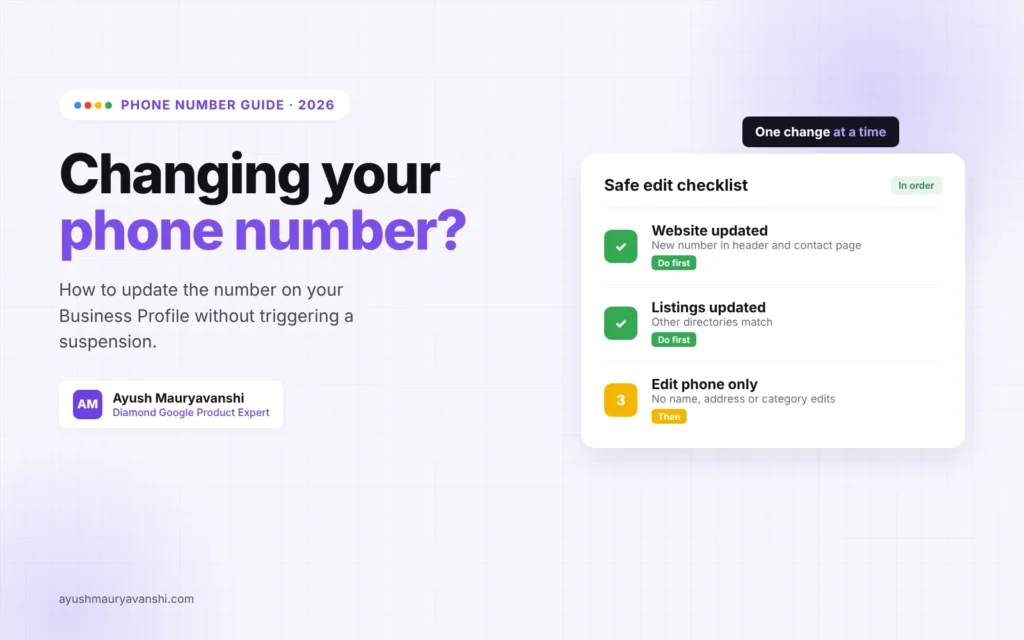
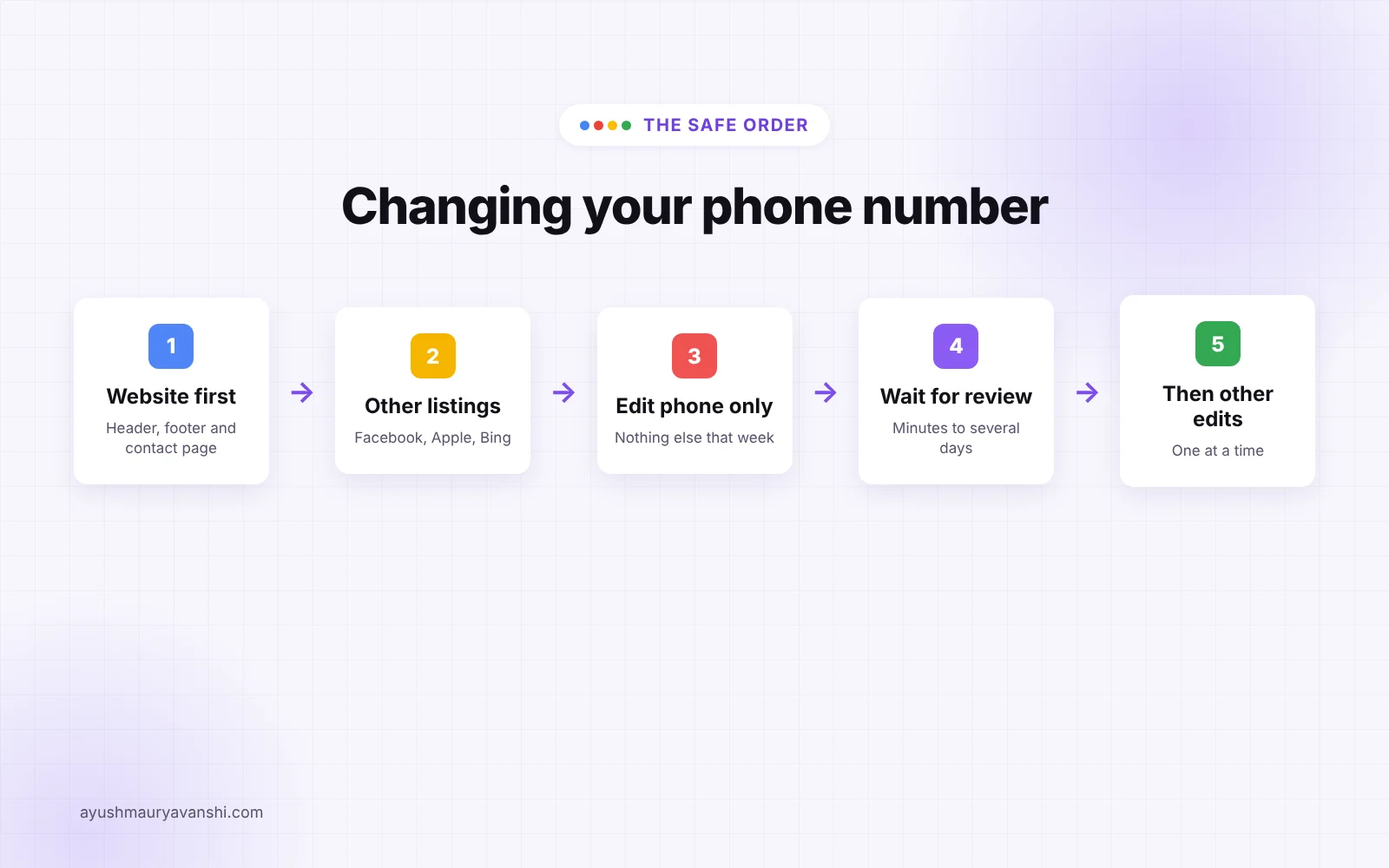
To change your Google Business Profile phone number safely, put the new number on your website first, then edit only the phone number in your profile, and leave everything else alone until the edit is approved. The number must ring your business, be under your control and not be a premium or redirect number. Rushed phone edits are a common trigger for re-verification and, in some cases, suspensions.
I’m a Diamond Product Expert in the Google Help Community and work on Google Business Profile issues every week. Phone number changes look harmless, and most of the time they are. But I regularly see cases where an owner switched to a new number, changed the category and hours on the same afternoon, and woke up to a profile that needed verification again or got suspended. This guide covers how to avoid that.
Last updated: November 5, 2026
Key takeaways
- Update the number on your website and main listings before you change it on Google.
- Change the phone number on its own. Don’t combine it with name, address or category edits.
- The number must connect to your location, be under your direct control and not be a premium number.
- Call tracking works best as the primary number with your main line as an additional phone.
- If Google calls or messages to confirm, answer with your business name.
What are Google’s rules for the phone number on a Business Profile?
Google’s guidelines for representing your business are short on phone numbers, but every line matters:
- Provide a phone number that connects to your individual business location.
- Use a local number instead of a central call center helpline whenever possible.
- Don’t use numbers that redirect or refer people to a different business.
- The phone number must be under the direct control of the business.
- Premium rate numbers are not allowed, whatever the rate.
Most problems I see come from the third and fourth rules: a number owned by a marketing agency, a lead generation service, or a forwarding setup that lands somewhere other than the business.
How do you change your Google Business Profile phone number?
- Sign in with the Google account that owns or manages the profile.
- Search for your business name on Google, or open Google Maps, and open your Business Profile tools.
- Select Edit profile, then go to Contact.
- Replace the Phone number (the primary number) with the new one.
- Select Save.
- Check the dashboard over the next few days for a pending, approved or not approved notice.
The new number usually goes live after a review. That can take anywhere from minutes to several days.
Why can changing a phone number cause problems?
Your Google Business Profile phone number is one of the details Google uses to confirm that a business is real and is where it says it is. When it changes, Google has to decide whether the same business is still behind the profile, or whether someone has taken it over or is trying to redirect customers.
So Google looks for consistency. If your website, your other listings and the number on your storefront all show the new number, the edit usually goes through quietly. If the new number appears nowhere else, belongs to a different company, or arrives together with a new name, address and category, it looks a lot like a hijacked or spam listing, and Google treats it that way.
What should you do before changing your number?
A few minutes of prep saves weeks of appeals. Before you touch the profile:
- Put the new number on your website, ideally in the header or footer and on the contact page.
- Update your Facebook page, Apple Business Connect, Bing Places and any major directories you use.
- Make sure the number is answered with your business name, including voicemail.
- Check the number isn’t already used on another Google Business Profile.
- Don’t schedule any other key edits, like name, address, category or website, for the same week.
Can you use a call tracking number?
Yes, and many businesses do. The setup I recommend is the tracking number as the primary phone, with your main business number added as an additional phone. That way your original number stays connected to the profile, and you still get tracking data.
The tracking number must ring your business directly. A number that routes to a call center handling several companies, or to an agency, breaks the “under the direct control of the business” rule. If you leave the agency, you also want to keep the number, so make sure the account is in the business’s name.
What phone number changes are risky?
| Change | Risk | Why |
|---|---|---|
| New number already on your website | Low | Matches what Google sees elsewhere |
| Adding a call tracking number as primary, main number kept as additional | Low | Original number stays on the profile |
| Switching from a landline to your own mobile | Low to medium | Fine if it’s on your website and answered as the business |
| Number owned by an agency or lead generation service | High | Not under the business’s direct control |
| Phone, name, address and category changed together | High | Looks like a takeover or a new business |
| Premium rate number | Not allowed | Against Google’s guidelines |
What if Google asks you to verify again?
Sometimes a phone change, especially combined with other edits, sends the profile back to verification. Don’t panic and don’t create a new profile. Complete the verification Google offers, which is often a video. I wrote a full guide to passing Google Business Profile video verification that covers what to film.
Google also sometimes contacts businesses to confirm details. The callers and messages can look unfamiliar, so tell whoever answers your phone that a check might come in, and to confirm the business name and address.
What if the profile gets suspended after the edit?
If a suspension follows a phone change, first check whether the problem is the profile or the Google account. A restricted account suspends every profile it manages, and it’s fixed in a different place. My guide on user account restricted suspensions explains how to tell the difference.
For a profile suspension, appeal once, with evidence that the new number belongs to the business: a phone bill or carrier statement in the business name, plus a screenshot of the number on your website. Then wait for the decision. Repeated appeals and edits during review make it slower, not faster. If you want help with the appeal, my GBP reinstatement service handles exactly this.
Why is the new number not showing?
If the old number is still showing a week later, check these in order:
- The dashboard shows the edit as pending. It’s still under review, so wait.
- The edit was not approved. Fix whatever doesn’t match, then resubmit once.
- The edit was approved but Maps still shows the old number. Clear the app cache or check from another device, it can lag.
- A different number keeps coming back. Google may be pulling it from your website or other sources. Find and fix it there.
When a phone edit keeps getting rejected and nothing above explains it, that is where a careful look at the whole profile helps. My phone number fix service exists for exactly these cases.
What to do now
- Add the new number to your website and main listings first.
- Change only the phone number on your Business Profile.
- If you use call tracking, keep your main number as an additional phone.
- Wait for approval before making any other key edits.
- If re-verification comes up, complete it on the existing profile, never a new one.
- If you get suspended, appeal once with proof the number is yours.
Frequently asked questions
How do I change the phone number on my Google Business Profile?
Search for your business name on Google while signed in as an owner or manager, select Edit profile, open the Contact section, replace the primary phone number and save. The change can take a few days to appear because Google reviews edits to key details first.
Can changing my phone number get my Google Business Profile suspended?
It can, mainly when the new number doesn’t match your website and other listings, isn’t under your control, or is changed at the same time as your name, address or category. Change one key detail at a time and make sure the number appears on your website first.
Can I use a call tracking number on Google Business Profile?
Many businesses do. The common setup is the tracking number as the primary phone and the main business number as an additional phone. Google’s guidelines say the number must be under your direct control and not redirect to someone else’s business, so the tracking number has to ring your location.
Why is my new phone number not showing on Google Maps?
Most often the edit is still under review, or Google rejected it. Check the profile dashboard for a pending or not approved notice. If it was rejected, confirm the number is on your website and answered with your business name, then submit it again once.
Can I use a mobile number on Google Business Profile?
Yes. Google asks for a number that connects to your individual business location and is under your direct control. A mobile number is fine if it is the real number customers reach you on. Premium rate numbers are not allowed.
Will Google call my new number to verify it?
It can. Google may call, text or message businesses to confirm details, and it may ask for re-verification after significant edits. Make sure whoever answers the new number knows to expect it.
Need help with a stuck phone number?
A Google Business Profile phone number edit should be the easiest change on your profile. If yours is stuck, rejected, or turned into a suspension, message me on WhatsApp and tell me what happened. I’ll tell you what I’d do next.