
On this page
- Key takeaways
- What does “user account restricted” mean on Google Business Profile?
- Google Business Profile suspended vs user account restricted: what is the difference?
- Why do Google accounts get restricted?
- Which account is restricted: owner or manager?
- How do you fix a restricted account?
- What evidence should you prepare for the profile appeal?
- What if you manage 10 or more locations?
- What should you not do while restricted?
- What if the appeal is denied?
- How to stop it happening again
- What to do now
- Frequently asked questions
- What does user account restricted mean on Google Business Profile?
- How do I appeal a restricted Google account?
- Should I appeal the account or the Business Profile first?
- How long does a Google Business Profile appeal take?
- Will my profiles come back if the owner account is reinstated?
- Can I create a new Google Business Profile while my account is restricted?
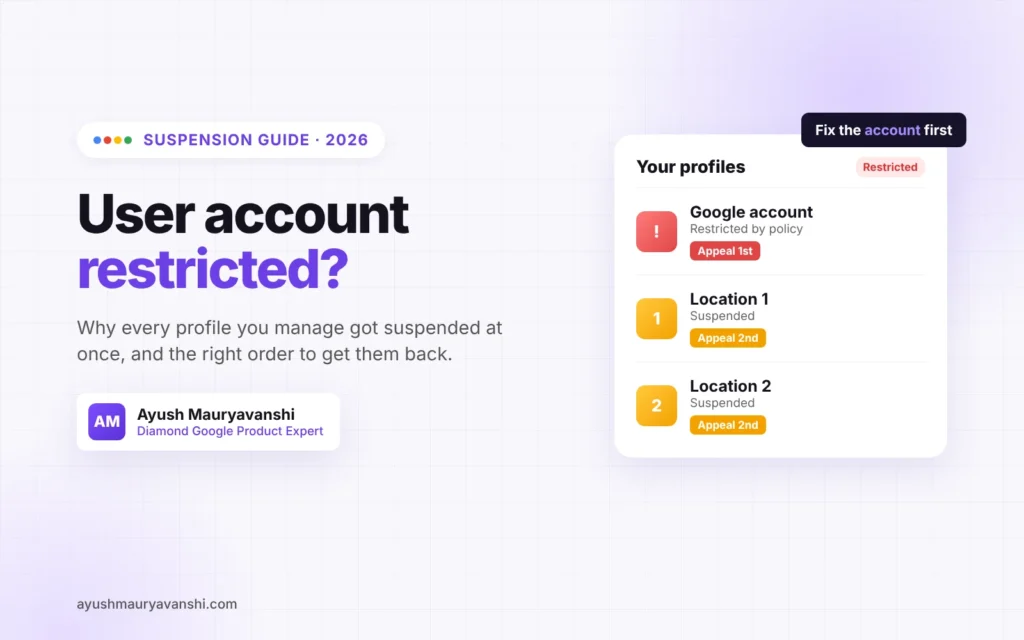
Google Business Profile suspended because your user account is restricted? The problem is not your business listing. It is the Google account you use to manage it. You have to get the account restriction lifted first, through your Google Account restrictions page, and only then appeal the profile suspension. Doing it in the other order is the most common reason I see these cases drag on for weeks.
I’m a Diamond Product Expert in the Google Help Community, and “user account restricted” is one of the Google Business Profile problems I see constantly, and there was a visible wave of them in May 2026. This guide explains what the restriction means, how to tell which account is the problem, and the exact order of steps to get your profiles back.
Last updated: October 30, 2026
Key takeaways
- A restriction sits on the Google account (the user), not on one listing. Every profile that user manages can be suspended at the same time.
- A restricted user also can’t create or claim new profiles.
- Fix the account first, from your Google Account restrictions page. Then appeal the profile suspension.
- Appeals can only be submitted once, so prepare your evidence before you click submit.
- Never create a new profile for the same business while you wait.
What does “user account restricted” mean on Google Business Profile?
It means Google has restricted the Google account itself because it decided that account broke a policy. Google’s help page puts it plainly: “As a result of an account restriction, the Business Profiles you manage are suspended and you won’t be able to create or claim other profiles” (Google’s help page on suspended profiles).
That is why owners are so confused. They log in, see every location suspended at once, and assume Google took down their business. In reality the listings were caught because of who manages them.
Google Business Profile suspended vs user account restricted: what is the difference?
A normal suspension is about the profile: the name, address, category, or a guideline problem with the listing. You fix the profile and appeal it.
An account restriction is about the user. The listing might be completely clean. Until the user restriction is lifted, a profile appeal has nothing to stand on, because the account filing it is still restricted.
| Profile suspension | User account restriction | |
|---|---|---|
| What Google flagged | The listing | The Google account managing it |
| Profiles affected | Usually one | Every profile that user manages |
| Can create or claim new profiles | Usually yes | No |
| Where you appeal first | Business Profile appeals tool | Google Account restrictions page |
Why do Google accounts get restricted?
Google only says an account may be restricted when it violates policy. It does not list every trigger. From the cases I’ve worked through in the Help Community, these are the patterns that come up again and again:
- Managing a profile that was itself flagged. For example, a lead-gen listing or a listing with a virtual office address.
- Bulk or unusual activity. Lots of edits in a short time, many profiles created or claimed from one account, or profiles added from shared or freelancer accounts.
- Review activity. Buying reviews, review swaps, or a sudden review spike. Google’s Fake Engagement rules can also restrict reviews on a profile.
- Shared logins. An agency or freelancer logging in from many countries on the same account.
- Being added as a manager by the wrong person. If a bad actor’s listings and your listings share a manager, the restriction can reach your profiles too.
Sometimes there is no obvious reason, and the May 2026 wave caught businesses that had done nothing unusual. That is still fixable with the same process.
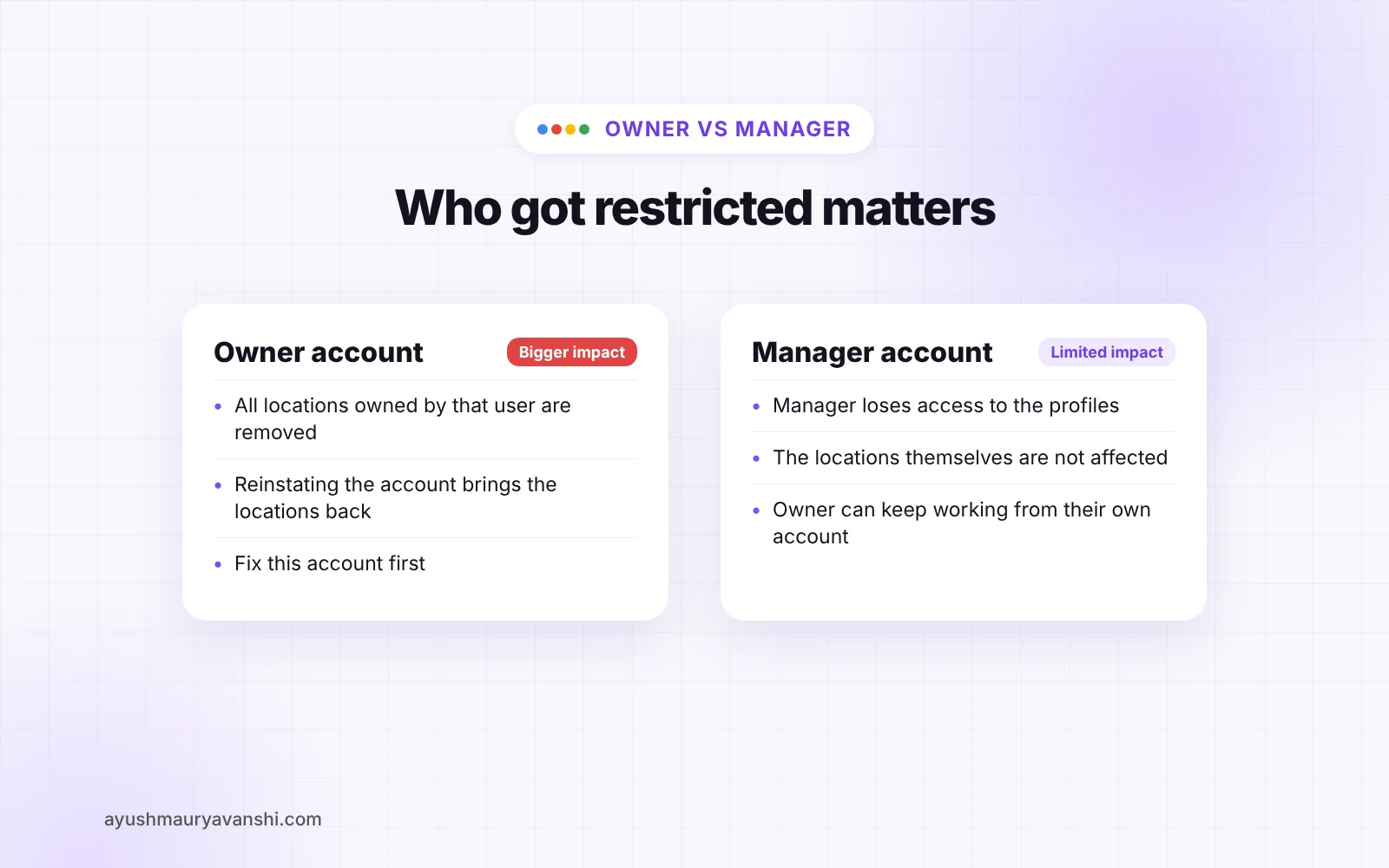
Which account is restricted: owner or manager?
This matters because Google treats the two differently:
- Owner’s account removed: Google removes all the locations owned by that user. When the account is reinstated, those locations come back too.
- Manager’s account removed: the manager is suspended from the profiles they manage, but the locations themselves are not affected. When the manager is reinstated, they regain access.
So check who is actually restricted. If only a manager or your agency’s account is restricted, your listings may be fine, and the owner can keep working on them from their own account. If the primary owner is restricted, that account is the one to fix.
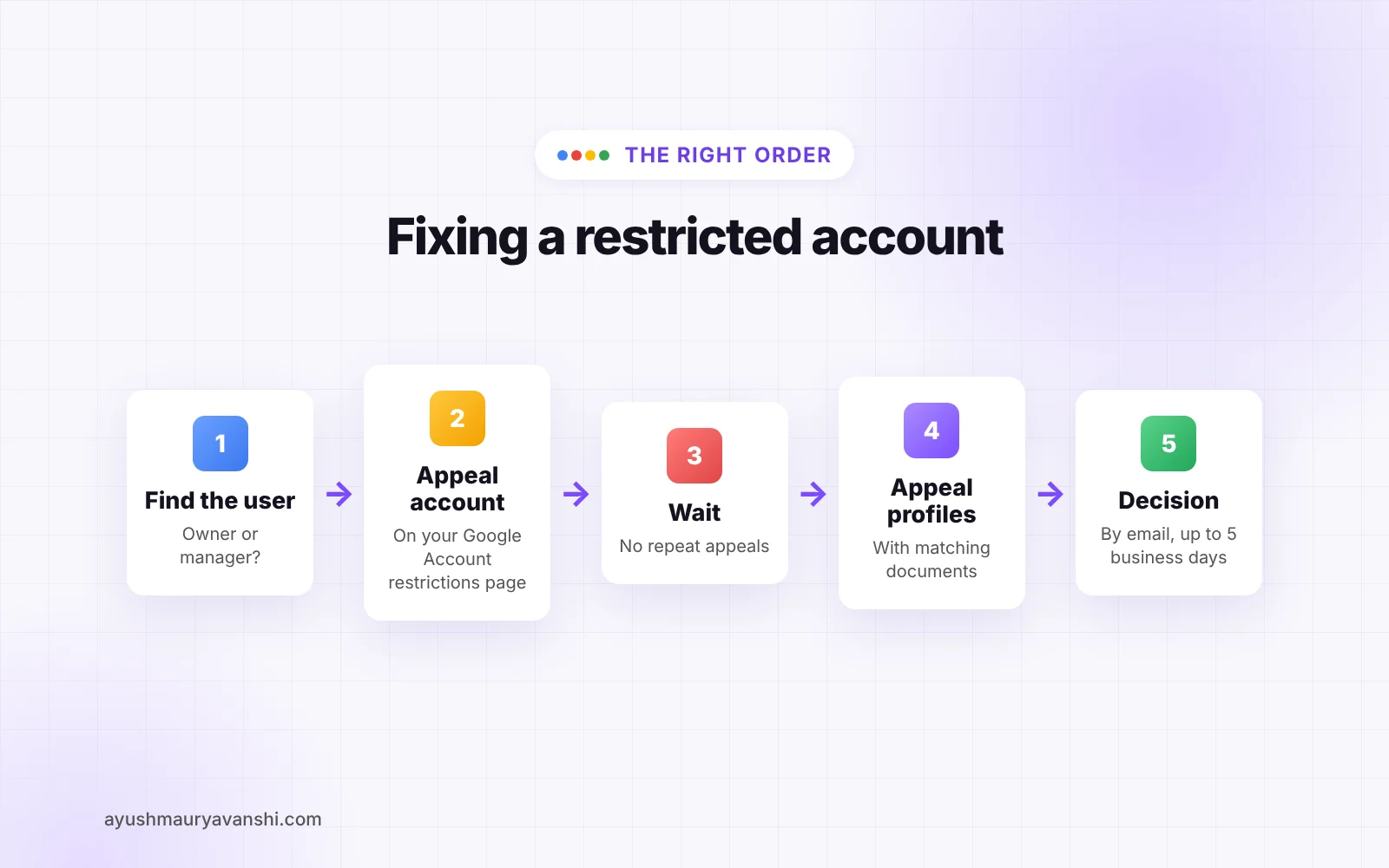
How do you fix a restricted account?
Follow this order. I’ve watched people skip step 2 and burn their only profile appeal.
- Sign in to the restricted Google account and open your Google Account restrictions page at myaccount.google.com/restrictions.
- Submit the account appeal there. Give a short, factual reason: who you are, what the account is used for, which businesses you manage, and anything that changed recently (new manager, new device, bulk edits). Don’t write an essay and don’t argue.
- Track the status on the same page. Do not file repeated appeals while it is pending.
- Once the account restriction is lifted, appeal the profile suspension in the Business Profile appeals tool. Select each suspended profile and submit.
- Wait for the email decision. Google’s appeal page says reviews and decisions can take up to 5 business days.
What evidence should you prepare for the profile appeal?
Google accepts optional evidence with the appeal, and you can upload it inside the appeal form. The documents Google lists are:
- Official business registration
- Business license
- Tax certificates
- Utility bills (electricity, phone, water, internet)
The business name and address on these documents must match what’s on your Business Profile. If your sign says one name and your registration says another, sort that out before you appeal, because you only get one shot.
What I add for my own clients when it fits: a photo of permanent signage with the address visible, and a photo of the inside of the business. Keep them clear and unedited.
What if you manage 10 or more locations?
Google has a bulk route. In the appeal, you attach a spreadsheet with each Business Profile ID along with your supporting documents. Only one decision email is sent, for the profile you selected in the tool, so keep your own list and check every location after the decision.
What should you not do while restricted?
- Don’t create a new Business Profile for the same business. Google says this directly, and in my experience it is the fastest way to turn a fixable case into a permanent one.
- Don’t create a new Google account to “start fresh.” It will look like evasion.
- Don’t file several appeals for the same issue. Appeals can only be submitted once.
- Don’t pay anyone who promises a guaranteed reinstatement or “an inside contact at Google.” No one has that.
- Don’t edit the profile name, address or category during review unless the edit is the actual fix.
What if the appeal is denied?
Google’s help page says that only if your reinstatement request is denied, it may be able to do an additional review to prove eligibility. Read the decision email carefully. If the account restriction was lifted but the profile appeal was denied, the issue is now the profile itself, which is a different fix: name, address, category, or business model eligibility.
This is also the point where a second pair of eyes helps most. Post in the Google Business Profile Help Community with your profile link and the exact decision text, and a Product Expert can look at it.
How to stop it happening again
- Keep one primary owner account that only the business owner controls, with 2-Step Verification on.
- Give agencies and freelancers manager access, never ownership, and remove people who no longer work with you.
- Don’t share one login across a team or across countries.
- Make edits gradually and keep your details matching your real-world documents.
- Stay away from review schemes of any kind.
What to do now
- Find out which account is restricted: owner or manager.
- Appeal the account at myaccount.google.com/restrictions.
- After it’s lifted, appeal each profile with matching documents.
- Don’t create new profiles or accounts while you wait.
- Tighten owner and manager access once you’re back.
If you’d like help with this, my Google Business Profile reinstatement service covers both the account and the profile appeal. If you’re dealing with reviews at the same time, read my guide on how to appeal a fake Google review.
Frequently asked questions
What does user account restricted mean on Google Business Profile?
It means Google restricted the Google account that manages your profiles because it decided the account violated a policy. As a result, the Business Profiles that account manages are suspended and the user cannot create or claim other profiles.
How do I appeal a restricted Google account?
Sign in to the restricted account, open myaccount.google.com/restrictions, give a short factual reason and submit the appeal. You can track its status on the same page. Do not file repeated appeals while it is pending.
Should I appeal the account or the Business Profile first?
The account. Once the account restriction is lifted, submit a profile appeal in the Business Profile appeals tool for each suspended profile.
How long does a Google Business Profile appeal take?
Google’s appeal help page says reviews and decisions can take up to 5 business days. Google emails you the decision.
Will my profiles come back if the owner account is reinstated?
According to Google, when an owner’s account is removed, all locations owned by that user are removed, and reinstating the account also reinstates those locations. If only a manager is restricted, the locations are not affected.
Can I create a new Google Business Profile while my account is restricted?
No. Google says not to create a new Business Profile for the same business, and a restricted user cannot create or claim profiles anyway. Doing so usually makes the case harder to fix.
Account restrictions feel scary because everything goes down at once, but most of the cases I see are recoverable when the steps are done in the right order. If you’re unsure which account is restricted or what to write, send me a screenshot on WhatsApp.