
On this page
- Key takeaways
- Which Google reviews can actually be removed?
- How do you report a Google review the right way?
- From your Business Profile
- From the Reviews Management Tool
- What do the review statuses mean?
- How do you appeal a Google review decision?
- How do you write an appeal that works?
- Why are Google review appeals delayed right now?
- What to do while you wait
- What if your appeal is rejected?
- What should you never do to remove a review?
- What if someone demands money to remove reviews?
- What to do now
- Frequently asked questions
- How long does a Google review appeal take?
- How many times can I appeal a Google review?
- Can I get a negative Google review removed if it is unfair?
- Should I submit another appeal if mine is taking too long?
- What can I do if my Google review appeal is rejected?
- Is it allowed to pay a customer to remove a Google review?
- Sources
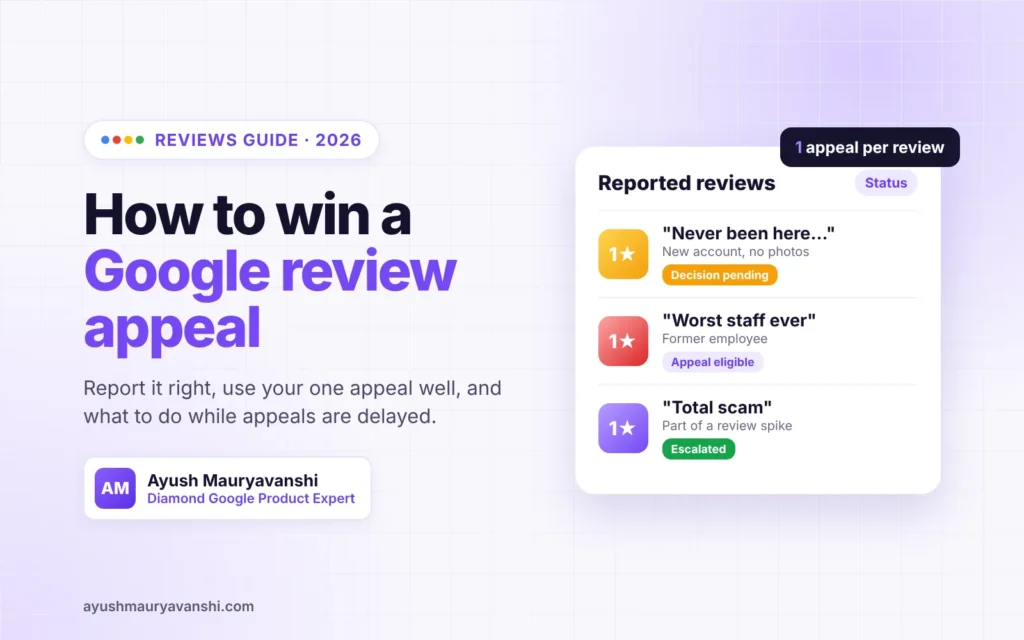
A Google review appeal is a one-time second look you can request after Google decides a review you reported does not break its policies. You file it in the Reviews Management Tool, you can include up to 10 reviews in one appeal, and Google emails you the final decision. Right now those appeals are taking longer than usual, so how you file matters more than ever.
I answer review questions in the Google Business Profile Help Community almost every day as a Diamond Product Expert. Most failed removals I see fail for the same few reasons. This guide walks through the full process, the statuses you will see, the October 2026 delay, and how to write an appeal that has a fair chance.
Last updated: October 2026
Key takeaways
- Google removes reviews only when they break a policy, not because they are negative or unfair.
- You get one appeal per review, so make it specific: name the policy and give evidence.
- Review appeals are delayed as of October 2026 and Google has given no timeframe. Do not file duplicates.
- Extortion, where someone demands money to remove reviews, has its own separate reporting route.
Which Google reviews can actually be removed?
Google only removes reviews that violate its policies. Its help page on removing reviews is blunt about it: “Do not report a review just because you disagree with it or dislike it.” A one-star review from a real customer who had a bad experience will almost always stay.
Reviews that usually do qualify fall into these groups:
- Fake or no real experience. The person never visited or used the business.
- Conflict of interest. A competitor, a current or former employee, or someone with a personal dispute.
- Incentivised or paid reviews. Reviews given in exchange for money, discounts or gifts.
- Review attacks. Several reviews from linked or new accounts in a short window.
- Off-topic content. Political rants, social commentary or content about a different business.
- Harassment, hate or threats. Including personal attacks on staff by name.
- Personal information. Phone numbers, addresses or private details of individuals.
Google’s full rules live in its Maps user contributed content policy. Read the relevant section before you report anything. You will need to name it in your appeal.
How do you report a Google review the right way?
You report a review from your Business Profile or from the Reviews Management Tool. Both routes go to the same place. The key is choosing the reason that matches the actual policy violation, because the report form gives you almost no room to explain.
From your Business Profile
- Open your Business Profile on Google and select Read reviews.
- Next to the review, select Report.
- Pick the reason that fits best (for example “Spam” or “Conflict of interest”) and send it.
From the Reviews Management Tool
- Open the Reviews Management Tool and confirm you are on the right Google account.
- Select your business and choose the option to report a new review for removal.
- Select Report next to the review, choose a reason in the new tab, and submit.
Report each review once. Reporting the same review again and again does not speed anything up. It just adds to the queue that is already backed up.
What do the review statuses mean?
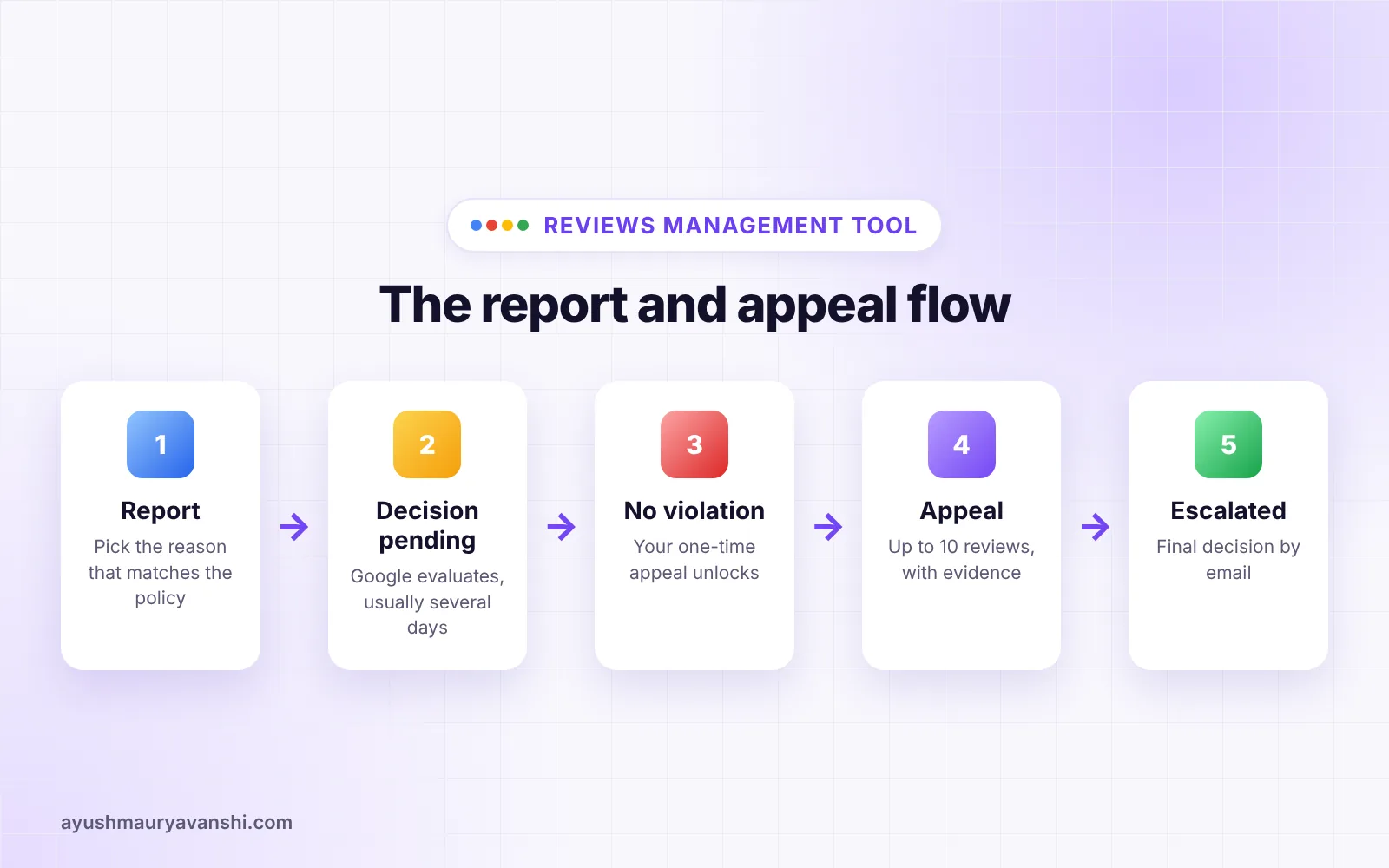
After you report, the Reviews Management Tool shows a status for each review. Google says evaluation “typically takes several days.” These are the three statuses you will see:
| Status | What it means | What to do |
|---|---|---|
| Decision pending | Google has your report but has not evaluated it yet | Wait. Do not report it again |
| Report reviewed – no policy violation | Google looked and decided the review can stay | You can now file your one-time appeal |
| Escalated – check your email for updates | Your appeal has gone to a further review | Watch your inbox for the final decision |
How do you appeal a Google review decision?
You appeal from the Reviews Management Tool once a review shows “Report reviewed – no policy violation.” Google allows one appeal per review, so this is your one chance to make the case properly.
- Open the Reviews Management Tool, confirm the account and select your business.
- Choose the option to check the status of a reported review.
- At the bottom, select Appeal eligible reviews.
- Select the review or reviews you want to appeal. You can select up to 10 at once.
- Fill in the appeal form in the new tab and submit it.
If Google agrees the review breaks policy, it is removed. If not, it stays live and the decision arrives by email.
Grouping matters. If five reviews arrived on the same day from brand-new accounts, appeal them together and say so. A pattern across several reviews is far more convincing than one review on its own.
How do you write an appeal that works?
A strong appeal names the exact policy, explains in two or three sentences why this review breaks it, and points to evidence. “This review is fake” on its own almost never works. Google needs a reason it can check.
Here is the difference in practice:
- Weak: “This is a fake review from a competitor. Please remove it.”
- Strong: “This review violates the conflict of interest policy. The reviewer is a former employee who left on 12 August. The review was posted two days later and mentions internal staff issues, not a customer experience. We have no customer record under this name.”
Before you write, gather:
- Screenshots of the review and the reviewer’s public profile
- Direct links to each review
- Your booking, sales or job records showing no matching customer
- Dates and timing that show a pattern, if there is one
- Any messages where someone threatened a review or asked for something in return
Keep it factual. Do not attack the reviewer and do not share any customer’s private details. Joy Hawkins at Sterling Sky gives the same advice in her guide to removing bad Google reviews, and it matches what I see in the forum: specific, documented appeals do better.
Why are Google review appeals delayed right now?
Google says high volume is the cause. In a Help Community thread reported on October 20, 2026, Dan Boguslavsky from the Google team wrote that “due to high volume of review related appeals, processing times are currently extended” (Search Engine Roundtable).
Google did not give a timeframe. The notice says Google “cannot provide a specific response timeframe for pending cases” and asks businesses not to submit duplicate appeals, because once an appeal is in, no further action is needed.
This is not the first time. Search Engine Roundtable has covered similar review appeal delays before, including in March 2025. These backlogs come and go. In my experience the cases do get processed eventually, so patience is the right call here.
What to do while you wait
- Do not file a second appeal for the same review.
- Save the case ID or confirmation email somewhere you can find it.
- Reply to the review publicly and calmly. Future customers read your reply even if the review stays.
- Keep collecting genuine reviews from real customers in the normal way.
What if your appeal is rejected?
If the appeal fails and you still believe the review clearly breaks policy, post your case in the Google Business Profile Help Community. Include the case ID, the policy you believe applies, and links to the reviews. Product Experts can look at it, and in clear cases we can escalate it to Google staff.
Two things help a forum post get attention. Be specific about the policy, and keep it short. Leave out anything private about your customers. A long, angry post is the hardest kind to escalate.
If the review is real but unfair, your best tool is the reply. A short, polite response that states facts and offers to fix the problem often does more for you than removal would. People expect a few negative reviews. They judge you on how you respond.
What should you never do to remove a review?
Some tactics can get your profile into far worse trouble than one bad review.
- Do not offer money, discounts or gifts to get a review removed or changed. Google prohibits it.
- Do not use review gating, meaning only asking happy customers for reviews.
- Do not pay companies that “guarantee” removal. No one outside Google can guarantee a removal. Some of these services break Google’s rules themselves.
- Do not buy positive reviews to bury a bad one. Fake reviews can lead to review restrictions on your profile, which is a much bigger problem to fix.
What if someone demands money to remove reviews?
That is review extortion, and Google handles it separately from normal review reports. Do not pay and do not negotiate. Keep every message, record the review links and dates, and use Google’s dedicated extortion reporting form, which is linked from the same review removal help page.
Google also now emails some owners when its systems detect a spike in spam reviews. If you get one of those emails, take it seriously. It is a good moment to screenshot the reviews and prepare your evidence in case you need to report or appeal.
What to do now
- Read the relevant section of Google’s content policy for each review you want removed.
- Report each review once, with the reason that matches the policy.
- Check the Reviews Management Tool after a few days.
- If the status says no policy violation, file one well-documented appeal, grouping related reviews together.
- While appeals are delayed, reply to the review publicly and do not resubmit.
- If the appeal fails, post the case ID in the Help Community.
Reviews are one part of a healthy profile. If you want the wider picture, my local SEO service covers reviews, categories and consistency together, and my roundup of Google Business Profile changes in 2026 covers other recent updates.
Frequently asked questions
How long does a Google review appeal take?
Google says the first evaluation of a reported review typically takes several days, and appeal decisions arrive by email. As of October 2026, Google has said review appeals are delayed due to high volume and has not given a timeframe, so expect it to take longer than usual.
How many times can I appeal a Google review?
You can appeal each review only once. After a reported review shows “Report reviewed – no policy violation” in the Reviews Management Tool, you can submit a one-time appeal. You can include up to 10 eligible reviews in a single appeal submission.
Can I get a negative Google review removed if it is unfair?
Usually not. Google removes reviews only when they break its policies, such as fake reviews, conflicts of interest, harassment or off-topic content. An unfair but genuine review from a real customer will normally stay, so a calm public reply is the better option.
Should I submit another appeal if mine is taking too long?
No. Google has asked businesses not to submit duplicate appeals. Once an appeal is submitted, no further action is needed, and duplicates only add to the backlog. Save your case ID and wait for the email with the decision.
What can I do if my Google review appeal is rejected?
If the review clearly breaks a Google policy, post your case with the case ID in the Google Business Profile Help Community. Product Experts can review it and escalate clear cases. Do not repost the same appeal or pay anyone who promises guaranteed removal.
Is it allowed to pay a customer to remove a Google review?
No. Offering money, discounts or gifts to remove or change a review breaks Google’s policies and can put your Business Profile at risk. If someone demands money from you to remove reviews, report it through Google’s separate extortion reporting process.
Review problems sometimes sit next to bigger ones, like a profile restriction or suspension. If that is happening to you, see my GBP reinstatement service or message me on WhatsApp and I will take a look.
Sources
- Remove reviews from your Business Profile on Google, Google Help
- Appeal moderation decisions on your Business Profile, Google Help
- Google Business Profiles Review Appeals Are Delayed, Search Engine Roundtable, October 20, 2026
- How to Remove Bad Reviews on Google, Sterling Sky, September 2026