
On this page
- How Google Business Profile ownership works
- First, check whether you already own it
- Who has your profile? Common situations
- Option 1: Ask the current owner to transfer it
- Option 2: Request ownership through Google
- What happens after you request Google Business Profile ownership
- Service-area businesses work differently
- Option 3: Appeal a denied ownership request
- Option 4: When there’s a duplicate or the profile is a mess
- Mistakes that make ownership problems worse
- What to do now
- FAQ
- How long does a Google Business Profile ownership request take?
- What if the current owner doesn’t respond to my ownership request?
- Can I get ownership of my Google Business Profile from a former agency?
- What’s the difference between owner and manager on Google Business Profile?
- Can I appeal a denied ownership request?
- Should I create a new profile instead?
- Stuck on an ownership case?
Google Business Profile ownership belongs to whoever verified the profile, and if that’s not you, you can request ownership through Google. You search for your business at business.google.com/add, select Request access, and the current owner gets 3 days to respond. If they approve, you’re in. If they ignore it, you may get the option to verify the profile yourself. If they deny it, you have to prove you’re the real business.
I’m a Diamond Product Expert in the Google Help Community and work on Google Business Profile issues every week. Ownership problems are some of the most stressful cases I see, because the business is real, the customers are real, and somebody else holds the keys. An old marketing agency, an ex-employee, a former business partner, a web designer who set it up years ago. This guide walks through every route I’d use to get Google Business Profile ownership back, in the order I’d try them.
How Google Business Profile ownership works
Every profile has one primary owner, and it can also have extra owners and managers.
- Primary owner: the main account. It can add and remove anyone and transfer primary ownership.
- Owners: can do almost everything, including managing users.
- Managers: can edit the profile, reply to reviews and post, but can’t manage users or remove the profile.
You can see who has access in your profile under Business Profile settings, then People and access (the menu wording moves around a bit between Search and the Business Profile Manager).
The important point: Google gives control to the person who verified the profile, not to the person whose name is on the shop sign. That’s why ownership disputes happen.
First, check whether you already own it
This sounds obvious, but I see it every week. Before you request anything, sign in to every Google account you or your team have ever used and search your business name on Google. If you’re an owner or manager, you’ll see the profile controls at the top of the results.
Google’s own tip says the same thing: if you can’t find a “Claim this business” or “Own this business” button, you may already be the owner. Check old Gmail accounts, the business email, the account your web designer used, and any account tied to your Google Ads.
Who has your profile? Common situations
| Situation | Best route |
|---|---|
| A former agency or freelancer set it up | Ask them to transfer primary ownership; if they refuse, request ownership |
| An ex-employee verified it with their own Gmail | Request ownership; they rarely respond, which can open the claim option |
| A previous owner of the business you bought | Ask for a transfer as part of the handover; otherwise request ownership |
| A business partner after a split | Request ownership, but expect a denial if they also have proof |
| You don’t know who has it | Request ownership; Google contacts the owner for you |
Option 1: Ask the current owner to transfer it
If you know who has access and they’re cooperative, this is the fastest route by far. Ask them to:
- Add you as an owner in People and access.
- Wait until you’ve accepted the invite from your email.
- Use Transfer ownership to make you the primary owner.
- Then remove themselves, if that’s what you both agreed.
Ask for owner access, not manager. A manager can’t remove other users, and I’ve seen businesses stuck because they only had manager access when the old owner disappeared.
One more thing: Google applies some temporary limits to new owners and managers on certain actions. If something is greyed out right after you’re added, give it a few days rather than assuming something is broken.
Option 2: Request ownership through Google
When you can’t reach the current owner, or they won’t help, use Google’s official request ownership process. For a storefront or hybrid business:
- Go to business.google.com/add.
- Enter your business name and address.
- Choose your business from the list.
- You’ll see “Someone else may manage this Business Profile.” Select Request access.
- Fill out the form and select Submit.
Use a Google account that belongs to the business, ideally one on your own domain email. Don’t use a personal Gmail you might lose, or you’ll end up in this situation again.
What happens after you request Google Business Profile ownership
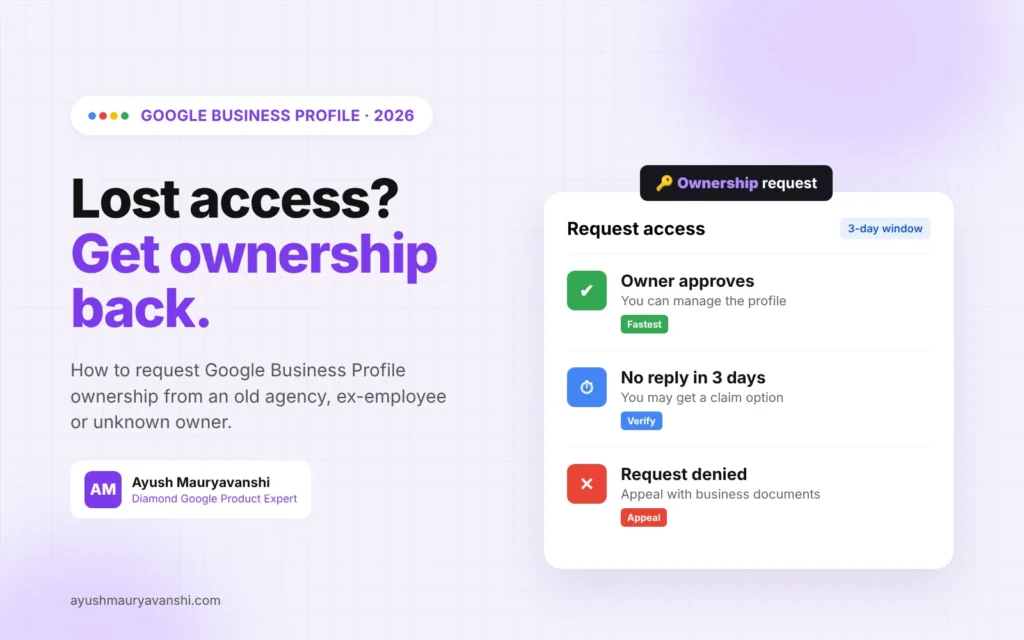
You get a confirmation email, and the current owner is notified by email. They have 3 days to respond. You can check the status by signing in or using the link in your confirmation email.
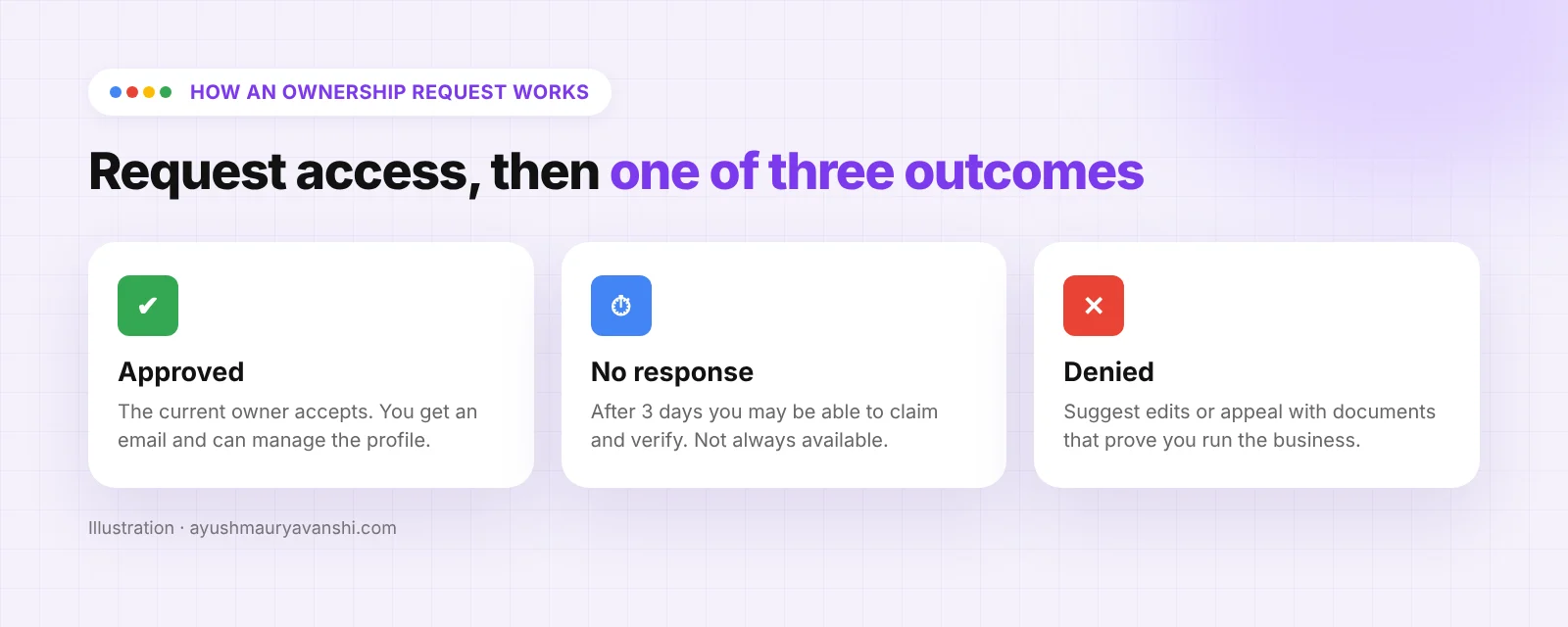
There are three possible outcomes:
- Approved. You get an email and can manage the profile.
- Denied. You get a rejection email. You can still suggest edits to the profile, and you can appeal.
- No response. After 3 days you may get the option to claim the profile. Open the confirmation email, select the option to verify, and follow the steps. Google is clear that this option isn’t always available.
Service-area businesses work differently
If you serve customers at their location and don’t have a shop customers visit, the request form route may not apply. Google’s instruction is to contact Business Profile support and choose Transfer ownership of listing as the issue. Have your proof ready before you start the chat.
Option 3: Appeal a denied ownership request
A denial isn’t the end. In my experience, denials happen most when the other person also looks like a legitimate owner, or when the request came from an account with no visible connection to the business.
When you appeal, you’re proving you are the business. The documents that help most:
- A business licence or registration in the business name
- A utility bill or lease at the profile address
- Tax documents with the business name and address
- A photo of your storefront with signage, and of the inside of the business
- An email from your business domain, if the website is yours
Make sure the business name and address on your documents match the profile exactly. If they don’t, fix that first, otherwise you’re asking Google to trust conflicting information.
Option 4: When there’s a duplicate or the profile is a mess
Sometimes the “other owner” is actually a second profile for the same business. Before you fight over ownership, check whether there are two listings. Google’s help on duplicate profiles and ownership issues is linked from the same help page, and merging or removing a duplicate is often easier than winning a dispute.
Be careful not to create a brand new profile to get around the problem. A fresh profile for an address that already has a verified listing can trigger verification problems or suspensions, and then you have two problems instead of one. If you already got suspended trying this, my Google Business Profile reinstatement page explains how I handle those cases.
Mistakes that make ownership problems worse
- Letting an agency or freelancer be primary owner. Give them manager access. Always keep primary ownership yourself.
- Using one person’s personal Gmail. People leave. Use an account the business controls.
- Requesting from several accounts at once. It looks messy and slows things down. One clean request from one business account.
- Editing the profile through suggested edits while the dispute is open. It can create a trail of conflicting changes. If someone else is editing your profile, read my guide on Google Business Profile edits.
- Waiting. The sooner you request access, the sooner the 3 day clock starts.
What to do now
- Sign in to every account you might have used and search your business name.
- If you find it, check People and access and make sure you are primary owner.
- If someone else has it and you know them, ask for an owner invite and a primary ownership transfer.
- If not, submit an ownership request from a business account and note the date.
- Gather your documents now, so you’re ready for verification or an appeal.
- Once you have control, remove anyone who shouldn’t be there and add a second owner you trust as a backup.
If verification is where you get stuck, my Google Business Profile verification service covers that part.
FAQ
How long does a Google Business Profile ownership request take?
The current owner has 3 days to respond. If they approve, you get access right away. If they don’t respond, you may be able to claim the profile after the 3 days.
What if the current owner doesn’t respond to my ownership request?
After 3 days you may see an option to claim or verify the profile from your confirmation email or when you sign in. Google says this option isn’t always available, so contact support if you don’t get it.
Can I get ownership of my Google Business Profile from a former agency?
Yes. Ask them to add you as owner and transfer primary ownership. If they refuse or don’t reply, submit an ownership request through business.google.com/add.
What’s the difference between owner and manager on Google Business Profile?
Owners can manage users and remove the profile. Managers can edit info, post and reply to reviews, but can’t add or remove people.
Can I appeal a denied ownership request?
Yes. You can appeal and send documents that prove you run the business at that address, like a business licence, utility bill or lease.
Should I create a new profile instead?
No. A second profile for the same business usually causes duplicate or suspension issues. Fix ownership of the existing profile.
Stuck on an ownership case?
Ownership disputes get messy fast, especially when an ex-partner or old agency won’t cooperate. If you want me to look at your situation and tell you the quickest route, message me on WhatsApp.