
On this page
- Key takeaways
- What changed with Google Business Profile ordering?
- Why do delivery apps show up on my profile when I never added them?
- How do I turn off a third-party ordering provider?
- How do I set my own ordering link as the preferred option?
- Should I turn off every delivery app?
- What does “Accept orders on your profile” do?
- Does this affect my local rankings?
- What to do now
- Frequently asked questions
- How do I remove DoorDash or Uber Eats from my Google Business Profile?
- Can I turn off a provider for delivery but keep it for pickup?
- What happens if I turn off Accept orders on your profile?
- How do I make my own ordering website the main option?
- Is the new ordering control available outside the US?
- Need help with your restaurant’s profile?
New Google Business Profile ordering controls let restaurants switch off individual third-party ordering providers, like DoorDash, Uber Eats or Grubhub, straight from the profile dashboard. You can turn a provider off for pickup, delivery or both, instead of waiting for the delivery platform to remove you from its feed. If a delivery app you never signed up with is showing on your profile, this is the fix.
I’m a Diamond Product Expert in the Google Help Community, and I work on Google Business Profile issues every week. “Why is this delivery app on my Google listing?” is one of those restaurant questions that keeps coming back in the forum. Until now the honest answer was “ask the provider and wait.” That changed at the end of October 2026.
Last updated: November 5, 2026
Key takeaways
- Restaurants can now turn off specific third-party ordering providers in the Business Profile dashboard.
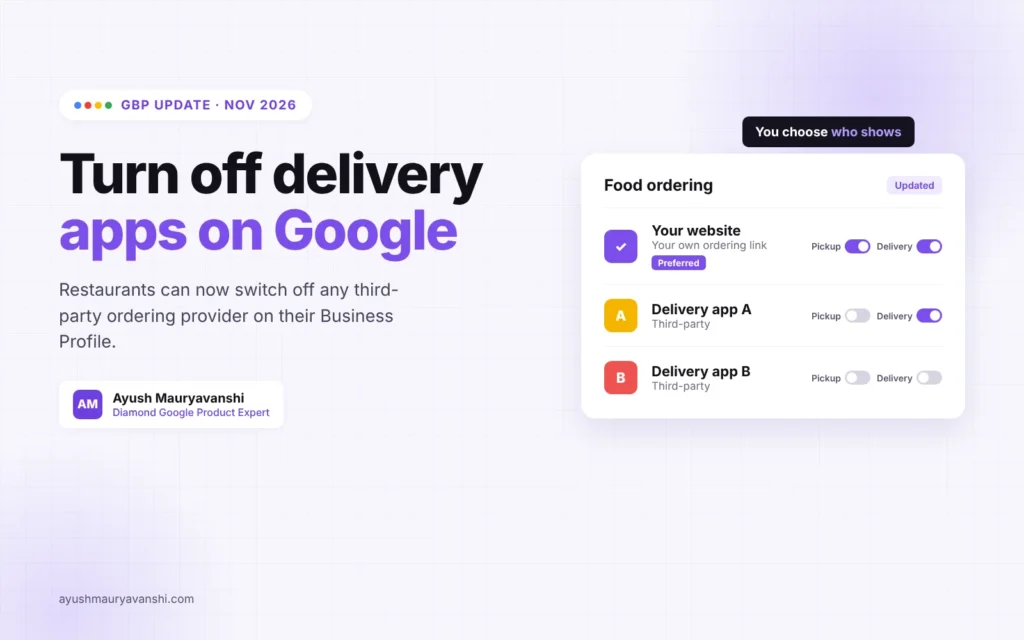
- Pickup and delivery have separate switches for each provider.
- You can set a preferred provider, including your own ordering link, for pickup and delivery.
- Turning off “Accept orders on your profile” hides every ordering option, so don’t use it by accident.
- Google says partner integrations are enabled by default, so check your list even if you never added anyone.
What changed with Google Business Profile ordering?
On October 28, 2026, Google’s Lisa Landsman announced on LinkedIn that restaurants can now manage and opt out of specific ordering providers directly from the Business Profile dashboard. Before this, you could request a removal, but the provider had to process it, and that often took days or didn’t happen at all.
Search Engine Journal reported that Google’s ordering partner policy, updated on October 19, now says merchants can enable or disable individual provider integrations through product controls, and that all partner integrations are enabled by default. That last part matters. If a provider has your menu in its feed, it can appear on your profile until you turn it off.
Why do delivery apps show up on my profile when I never added them?
Delivery and ordering platforms send Google feeds of the restaurants they can take orders for. Google matches those feeds to Business Profiles and shows the options under “Order online” or a similar button. That is why owners find a provider they stopped working with years ago, or one they never had a contract with, sitting next to their own ordering link.
In the forum I see three versions of this problem again and again:
- An old provider still listed after the restaurant cancelled the partnership.
- A marketplace showing higher prices than the restaurant’s own site, and customers blaming the restaurant.
- The restaurant’s own ordering system buried under three or four delivery apps.
All three can now be handled from your dashboard.
How do I turn off a third-party ordering provider?
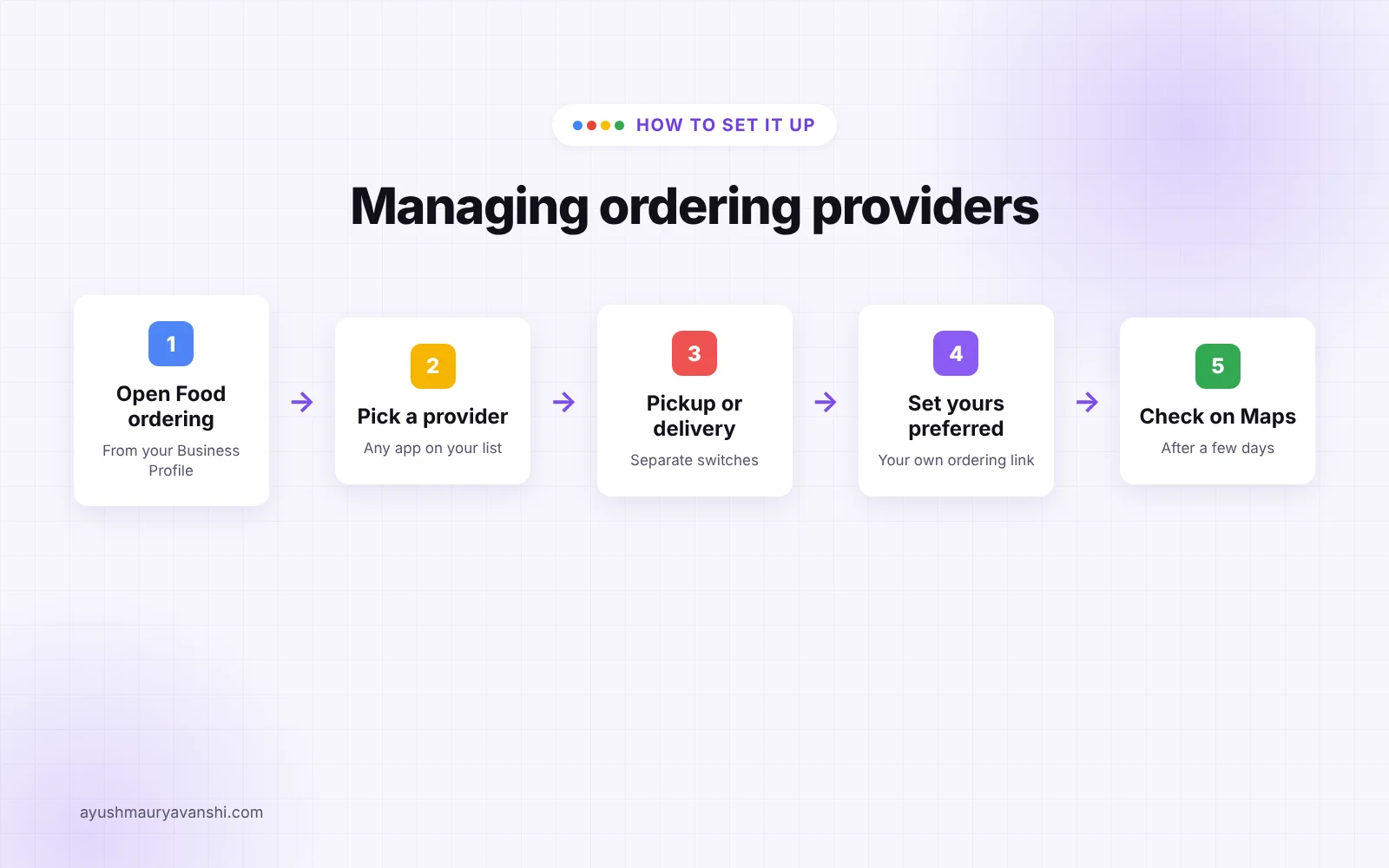
Google’s Manage online ordering options help page lays out the steps. In my experience the screen names shift a little between the Search dashboard and the newer Business Home view, but the flow is the same:
- Go to your Business Profile while signed in as an owner or manager.
- Select Food ordering.
- From the list of options, select the provider you want to change.
- Turn it off for pickup, delivery or both, or select Remove link.
- Save, then check your public profile on a phone a few days later.
If you only see a removal option and not the new switches, your profile may not have the update yet. Google’s help page still says that once you request a removal, providers must remove the link within 5 business days, and you can report a violation if they don’t.
How do I set my own ordering link as the preferred option?
If you have your own online ordering page, make it the preferred option. Commission-free orders are the whole point.
- Open Food ordering on your Business Profile.
- If your link isn’t listed, select Add a link at the bottom.
- Select the link, then Set as preferred.
- Turn on Preferred for pickup, Preferred for delivery, or both, then save.
You can only set pickup or delivery if the provider actually offers it. A pickup-only ordering page can’t be preferred for delivery.
Should I turn off every delivery app?
Usually not. Plenty of diners order through the app where they already have a subscription or a saved card. Google made the same point in the announcement: a mix of trusted providers can work in your favor. Turning everything off can lose you orders from people who would never type their card details into a new website.
Here is how I’d think about each provider:
| Situation | What I’d do |
|---|---|
| You no longer work with the provider | Turn it off for both pickup and delivery |
| Prices or menu on the provider are wrong | Fix it with the provider, or turn it off until it’s fixed |
| Provider is fine but takes a high commission | Keep it for delivery, make your own link preferred for pickup |
| You have no delivery staff of your own | Keep a delivery provider on, set your link as preferred for pickup |
| You don’t want online orders from Google at all | Turn off “Accept orders on your profile” |
What does “Accept orders on your profile” do?
It’s the master switch. If you turn off “Accept orders on your profile,” Google hides all third-party options and custom ordering links from your Business Profile. I’ve seen owners flip this while trying to remove one app and then wonder why their own link disappeared. If your goal is to remove one provider, use the provider-level controls instead.
Does this affect my local rankings?
There’s no sign from Google that ordering settings change where you rank in the Map Pack. What they change is what happens after someone finds you: which button they tap, which price they see, and who keeps the margin. A cleaner ordering section is a conversion fix, not a ranking fix. If you want to work on visibility as well, keep your menu, hours and categories up to date. I covered the new menu attributes in my post on dietary menu tags for restaurants.
What to do now
- Open Food ordering and list every provider showing on your profile.
- Turn off any provider you don’t work with, for both pickup and delivery.
- Add your own ordering link and set it as preferred for pickup at least.
- Leave “Accept orders on your profile” on unless you want no online orders at all.
- Check your profile on Google Maps from a phone after a few days to confirm the changes stuck.
- If a provider you removed comes back, remove it again and report it through Google’s help page.
Frequently asked questions
How do I remove DoorDash or Uber Eats from my Google Business Profile?
Open your Business Profile, select Food ordering, choose the provider and turn it off or select Remove link. Since late October 2026 you can do this yourself from the dashboard instead of asking the delivery platform to drop your restaurant from its feed.
Can I turn off a provider for delivery but keep it for pickup?
Yes. The new controls have separate switches for pickup and delivery, so you can keep a provider for one and turn it off for the other. If a provider doesn’t offer one of those options, that switch won’t be available.
What happens if I turn off Accept orders on your profile?
Google hides all third-party ordering options and any custom ordering links you added. Customers won’t see ordering choices on your profile, so only use it if you don’t want online orders from Google at all.
How do I make my own ordering website the main option?
Add your ordering page as a link in the Food ordering section, then mark it as preferred for pickup, delivery or both. Google’s help page says preferred providers can be set separately for each option.
Is the new ordering control available outside the US?
According to a Google product manager replying to the announcement, the provider controls are available in all countries. The layout can differ by region, and in some places ordering links appear outside the Order online button.
Need help with your restaurant’s profile?
Most restaurant profiles I review have at least one ordering link that shouldn’t be there, or a menu that doesn’t match the real one. If you want a second pair of eyes on yours, message me on WhatsApp or look at my local SEO service for the full setup.