
On this page
- Key takeaways
- What exactly is Google asking for?
- Why is Google asking for an EIN now?
- Who is seeing the EIN request?
- Is it safe to give Google your EIN?
- How to set up messages without delays
- What if you don’t have an EIN?
- What about the new Messenger links?
- What to do now
- Frequently asked questions
- Why is Google Business Profile asking for my EIN?
- Is the Google Business Profile EIN request a scam?
- How long does the Google messaging review take?
- Do I need an EIN to keep my Google Business Profile?
- What if my business is outside the US and has no EIN?
- What should my privacy policy include for Google messages?
If you just hit a Google Business Profile EIN request, along with a box for a privacy policy URL, you are most likely turning on messages for your profile. Google is now asking some businesses for their Employer Identification Number and a link to a privacy policy before they can receive messages, and a Google partner reviews the details first. It is a real Google step, not a scam, as long as you see it inside your own Business Profile dashboard.
This showed up on October 28, 2026, and the questions started almost immediately. I’m a Diamond Product Expert in the Google Help Community and work on Google Business Profile issues every week, so here is what we know, what we don’t, and what I would do before you fill it in.
Last updated: October 30, 2026
Key takeaways
- Google is asking some businesses for an EIN and a privacy policy URL, mainly when they set up the message button on their profile.
- The prompt says a Google partner reviews your details, and that this takes about three to four working days before you can receive messages.
- It is not shown to everyone yet. If you don’t see it, nothing is wrong with your profile.
- Only enter your EIN inside the official Business Profile dashboard. Never send it by email, WhatsApp or phone to someone claiming to be Google.
- Get your privacy policy page live before you start, because you will need the URL.
What exactly is Google asking for?
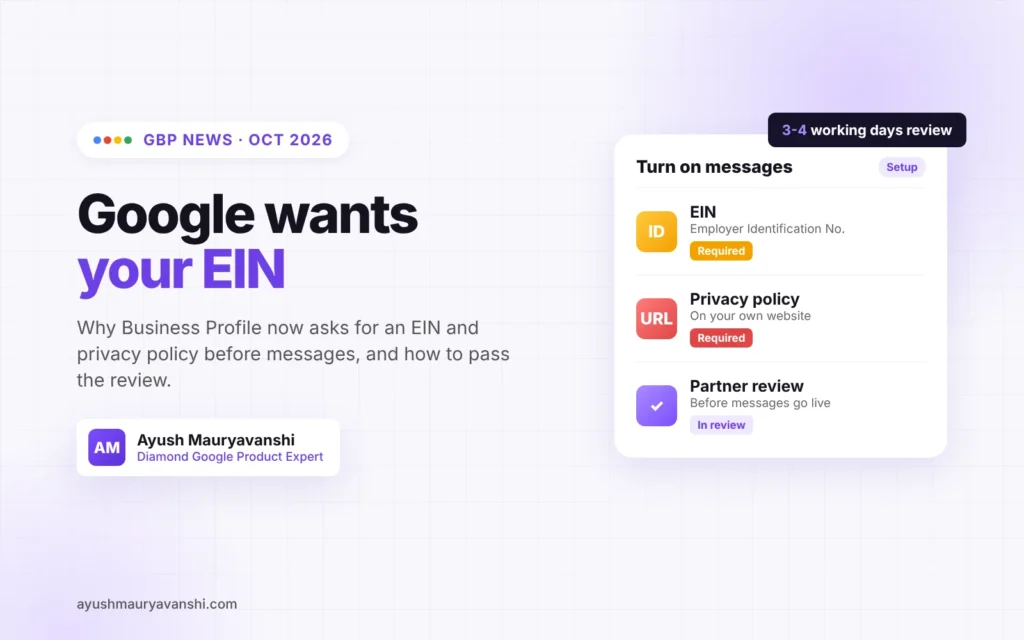
Two things: your business’s EIN (the federal tax ID the IRS gives US businesses) and a URL for your privacy policy. The request was first reported by Search Engine Roundtable on October 28, 2026, after a business owner saw it while setting up the messaging feature (report here).
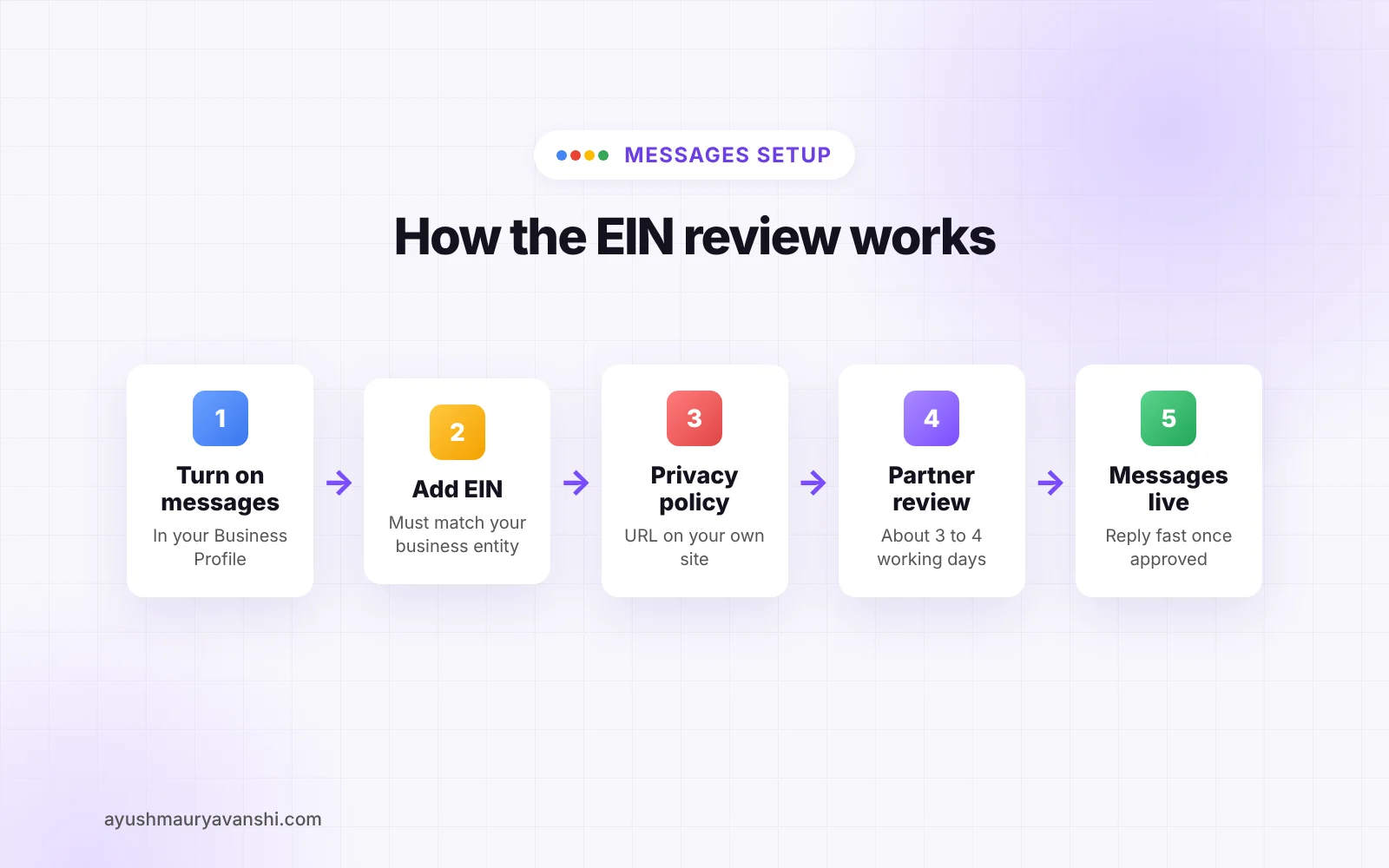
The screen tells you why. In Google’s own words: “To help protect you and your customers, a Google partner will review your details before you can receive messages. This takes about three to four working days.”
So this is a review gate for messaging. Google wants to know that the business behind a chat window is a real, registered business before customers start sending it personal details.
Why is Google asking for an EIN now?
Google has not published an official explanation yet. My read, from what I see in the Help Community every week:
- Messaging is a scam magnet. A chat button on a fake listing lets a scammer talk directly to customers. Fake locksmiths, fake towing companies and fake “support numbers” are the cases I report most often. Tying messaging to a tax ID raises the cost for them.
- Google has been adding identity checks all year. Video verification, photo verification and, in October, a test of government ID uploads for verification. The EIN request fits the same direction.
- Messages carry customer data. A privacy policy URL is a standard requirement anywhere a business collects personal information through a chat.
Treat that as my reading of the pattern, not a Google statement. If Google publishes a help article on it, I’ll update this post.
Who is seeing the EIN request?
Only some businesses so far. The reports I’ve seen are from profiles turning on the message button or updating key profile details. Google has not said which countries are included.
If you are outside the US you won’t have an EIN at all. I have not seen confirmed reports of what non-US businesses get asked for instead, so don’t enter a made-up number or another business’s EIN to get past the screen. Skip messaging for now and use your website and phone number until Google shows you a field that fits your country.
Is it safe to give Google your EIN?
Inside your Business Profile dashboard, yes. That is Google’s own interface, signed in with your Google account.
Outside it, no. This is exactly the kind of news scammers use. Within days of any GBP change, I see posts from owners who got a call or an email saying “Google needs your EIN to keep your listing active.” Google does not collect it that way.
A simple rule I give everyone:
- You started the action yourself (turning on messages) and the request appears inside the profile editor: fine.
- Someone contacts you first and asks for your EIN, a payment, or a verification code: stop. Report it.
How to set up messages without delays
The review takes three to four working days. Mismatches make it longer, so set yourself up to pass the first time.
- Check your legal details. The business name on your profile should match how your business is actually known, and your EIN should belong to the same business entity. If you trade under a DBA, keep your paperwork that links the two.
- Publish a real privacy policy. A page on your own website, linked from the footer, that says what you collect through messages and calls, how you use it, and how customers can contact you. A generic template copied from another site with someone else’s business name in it is a common mistake.
- Use your own domain. A privacy policy hosted on a free page builder or a social profile looks weaker than one on the same website your profile already links to.
- Turn on messages only if someone will answer. Slow replies help nobody. If nobody on your team checks the inbox daily, leave it off.
- Don’t keep restarting the setup. Submit once and wait the full review period. Resubmitting the same details over and over does not speed it up.
What if you don’t have an EIN?
In the US, sole proprietors without employees often file under their own SSN and never got an EIN. You can apply for one directly from the IRS for free. Ignore websites that charge a fee to “get your EIN fast.” They are filling in the same free form for you.
You do not need messaging to rank or to get calls. If getting an EIN is not worth it right now, skip the message button. Your phone number, website link and WhatsApp button (where available) still work.
What about the new Messenger links?
The same week, some businesses got emails saying Google automatically added Facebook Messenger m.me links to their profiles. If you got one of those, open your profile and check that the link points to your own Facebook Page. If it doesn’t, remove it. Auto-added links are only as good as the data Google pulled them from.
What to do now
- Decide whether you actually want messaging. If yes, publish your privacy policy page first.
- Keep your EIN and business registration ready, and make sure the names match your profile.
- Submit once and give it three to four working days.
- Warn your team: nobody shares the EIN, OTPs or verification codes with anyone who calls or emails claiming to be Google.
- Check your profile for any links Google added automatically.
If your profile gets stuck in review or suspended while you’re changing these details, see my Google Business Profile verification help or my reinstatement service. For background on the other October changes, read what the new Google Business Home beta means for your profile.
Frequently asked questions
Why is Google Business Profile asking for my EIN?
Google is asking some businesses for an Employer Identification Number and a privacy policy URL, mainly when they turn on messages. The on-screen notice says a Google partner reviews your details before you can receive messages, to help protect you and your customers.
Is the Google Business Profile EIN request a scam?
Not when it appears inside your own Business Profile dashboard after you start setting up messages. It is a scam if someone calls, emails or messages you first and asks for your EIN, a payment or a verification code.
How long does the Google messaging review take?
The notice Google shows says the review takes about three to four working days. You cannot receive messages until it is approved.
Do I need an EIN to keep my Google Business Profile?
No. The request is tied to the messaging feature. Your profile can stay live, rank and get calls without messages turned on.
What if my business is outside the US and has no EIN?
Do not enter a made-up number or another business’s EIN. Leave messaging off and use your phone number and website until Google shows a field that fits your country’s business ID.
What should my privacy policy include for Google messages?
Your business name, what information you collect through messages and calls, how you use and store it, and how customers can contact you. Host it on your own website and link it from the footer.
This is a new step and the details may change quickly. If you’re stuck at the EIN screen or the review drags on past a week, message me on WhatsApp with a screenshot and I’ll tell you what I’d do next.