
On this page
- What changed: the 8 updates at a glance
- What each change means for your profile
- 1. The 4 day window for suggested edits
- 2. New policy: misuse of support channels
- 3. Advertising and solicitation rules rewritten
- 4. Posts with unverified contact details may be removed
- 5. Spam review spike emails
- 6. The September 2026 spam update
- 7. WhatsApp button in the local panel
- 8. Sign in to read all reviews on Maps
- Your 15-minute checklist
- Frequently asked questions
- How long do I have to reject a suggested edit on my Google Business Profile?
- Can I put my phone number in a Google Post?
- Can I put a discount or price in my Google Business Profile listing?
- Will sending many appeals get my profile reinstated faster?
- Did the September 2026 spam update affect Google Business Profiles?
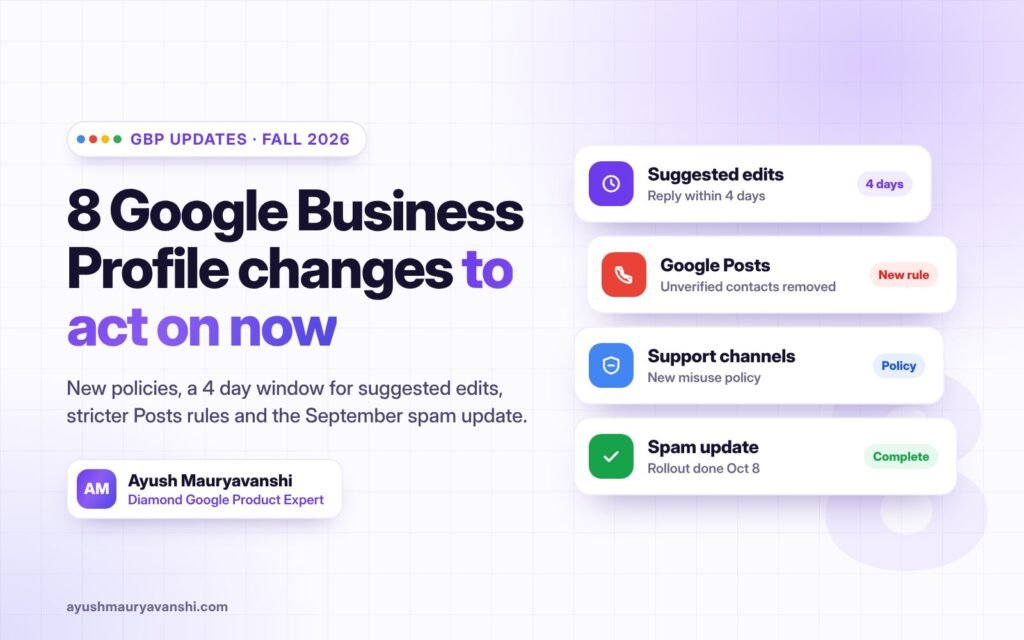
Between September 22 and October 13, 2026, Google quietly changed more about Google Business Profile than it usually does in a full quarter. A new policy can get your complaints ignored, suggested edits now go live after just 4 days, Google Posts lose unverified phone numbers, and the September 2026 spam update finished rolling out on October 8.
None of these came with a big announcement. Most appeared as small edits to Google’s help pages, which is exactly why so many business owners miss them until a listing gets edited, a post disappears or a profile gets suspended.
As a Diamond Google Product Expert for Business Profile, I spend a lot of my time on cases that start with one of these small changes. Below is what changed, what it means in practice, and a short checklist so your profile stays safe. Every change links to Google’s own help page or the report that first spotted it.
What changed: the 8 updates at a glance
Here is every change in one place, newest first. Dates are when the change was first reported publicly.
| Date (2026) | What changed | Status |
|---|---|---|
| Oct 8 | September 2026 spam update finished rolling out, almost 14 days after it started on Sept 24 | Confirmed by Google |
| Oct 7 | A WhatsApp button appears in the local panel on Google Search | Spotted, not announced |
| Oct 6 | Advertising and solicitation rules rewritten, with a new “For merchants” section | Google help page |
| Sept 30 | Google Maps asks people to sign in to read all reviews | Spotted, not announced |
| Sept 29 | New policy: “Misuse of support channels” | Google help page |
| Sept 25 | Posts with unverified contact information may be removed | Google help page |
| Sept 23 | Owners have 4 days to accept or reject suggested edits | Google help page |
| Sept 22 | Google emails owners when it detects a spike in spam reviews | Email seen by owners |
I have also been watching Google test an “AI Overview” at the top of local business panels, reported on Sept 17. It is still a test, so it is not on the list, but it matters for the checklist below.
What each change means for your profile
1. The 4 day window for suggested edits
Anyone can suggest an edit to your listing, including competitors. Google’s help page now says: “Once notified, you have 4 days to accept or reject the suggestion.” If you do nothing, Google “may automatically publish the update if it is supported by other publicly available information,” such as your website.
In practice, a wrong phone number, category or opening hours can go live while you are busy with work. Unexpected changes to key details are also one of the things that can trigger a re-verification request. Check the Business Profile notifications at least every couple of days, and make sure your website shows the same name, address, phone and hours as your profile, because Google uses it to decide which version is true.
2. New policy: misuse of support channels
This one is aimed at people who flood Google support. The policy asks users to “avoid any misuse of the portal or flood them with invalid requests,” and warns that “Repeated unfounded submissions can result in rejection of all further complaints without assessment.”
This matters most for anyone fighting a suspension or reporting a spammy competitor. Sending the same appeal five times, or reporting competitors without solid evidence, can now count against you. One complete, well documented appeal is worth far more than ten rushed ones. That has always been true in reinstatement work; now it is written into policy.
3. Advertising and solicitation rules rewritten
Google’s policy now opens with a clear line: “don’t post content for advertising or solicitation purposes.” A new section for merchants says your listing itself must not contain “Time-bound promotions, pricing, or direct calls-to-action.”
That means no “20% off this week” or “Call now for a free quote” in your business name, description or other listing fields. Offers still belong in Posts, which Google says are “otherwise permitted.” Keyword stuffing and promotional text in the business name is already one of the most common reasons I see profiles get suspended, so this is worth checking today.
4. Posts with unverified contact details may be removed
The Posts help page now says: “To avoid fraud or abuse, we may remove posts with unverified contact information.” That covers phone numbers, email addresses and social media handles typed into the post text.
The fix is simple. Use the post’s Call now button, which uses your verified profile phone number, or link to your website. Do not paste a different tracking number or a WhatsApp number into the text.
5. Spam review spike emails
Google now emails owners with the subject “Protecting your Business Profile from spam reviews” when it detects a surge of fake reviews. It removes them, and new reviews are paused for a short time, usually a few days. You do not need to do anything, but if genuine reviews were removed you can ask Google to look again.
If you get this email, do not panic and do not run a review campaign straight after. A sudden wave of new reviews right after a spam spike looks unnatural.
6. The September 2026 spam update
Google’s September 2026 spam update started on September 24 and finished on October 8, after almost 14 days. Google called it a normal spam update that applies globally and to all languages, with no new guidance. If your website traffic dropped between those dates, review your site against Google’s spam policies before changing anything else, because website trust feeds into how Google sees your business overall.
7. WhatsApp button in the local panel
Searchers are starting to see a WhatsApp button on business panels, either replacing the chat option or next to call, directions and website. Google has not announced it. The report links it to WhatsApp numbers on Business Profiles, so if WhatsApp is how you talk to customers, add your WhatsApp number to your profile and answer quickly.
8. Sign in to read all reviews on Maps
Google Maps now asks people to sign in to see all reviews or sort them. Most of your customers are already signed in, so the bigger effect is on scraping tools and some review widgets. If a third party tool shows your reviews on your website, check it still works.
Your 15-minute checklist
Run through this once now, then keep the first item as a weekly habit.
- Turn on email notifications for your Business Profile and check suggested edits within 4 days
- Make sure your website shows the exact same business name, address, phone and hours as your profile
- Remove prices, time-bound offers and “call now” style wording from your business name and description
- Edit any Posts that have a phone number, email or social handle typed into the text; use the Call now button instead
- Add your WhatsApp number to your profile if you use WhatsApp with customers
- If you are appealing a suspension, send one complete appeal with clear proof, then wait for Google’s reply
- If your site traffic dropped between September 24 and October 8, check it against Google’s spam policies
- Keep your website’s About and services pages accurate, since Google’s AI summaries of local businesses appear to pull from them
Frequently asked questions
-
How long do I have to reject a suggested edit on my Google Business Profile?
Four days from when Google notifies you. If you do not respond, Google may publish the edit if other public information, such as your website, supports it.
-
Can I put my phone number in a Google Post?
Google may remove posts with unverified contact information, including phone numbers, emails and social handles. Use the Call now button, which uses your verified profile number.
-
Can I put a discount or price in my Google Business Profile listing?
Not in the listing itself. Google’s policy bans time-bound promotions, pricing and direct calls to action in the listing. Offers are still allowed in Posts.
-
Will sending many appeals get my profile reinstated faster?
No. Google’s new support policy says repeated unfounded submissions can lead to all further complaints being rejected without review. Send one complete appeal with clear evidence.
-
Did the September 2026 spam update affect Google Business Profiles?
Google described it as a normal, global spam update for search results and gave no Business Profile specific guidance. It ran from September 24 to October 8, 2026.